
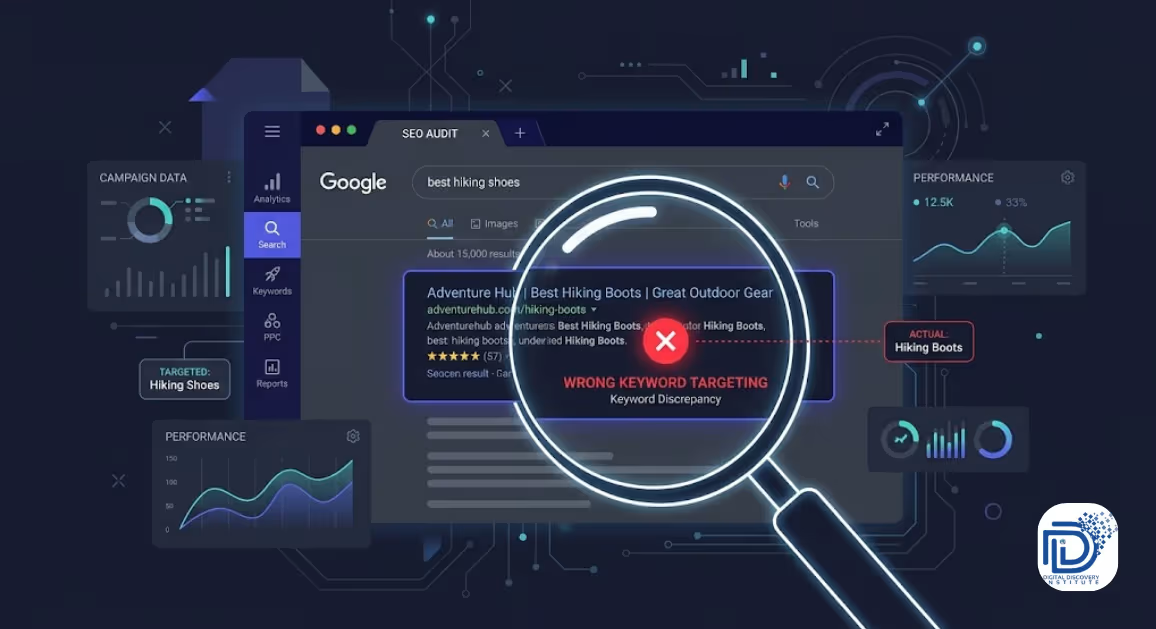
Have you ever checked Google Search Console and found that your page is ranking for a keyword you never actually targeted?
You created a detailed page about technical SEO, but Google is showing it for a broader keyword like “SEO tips.”
Or you published a guide about keyword research, but the page keeps getting impressions for searches such as “SEO tools” or “how to improve website ranking.”
This can be confusing.
You may start wondering:
Did I choose the wrong keyword? Is Google misunderstanding my page? Should I add the keyword more times?
Usually, the answer isn’t simply about keyword density.
Google uses many signals to understand what a page is about and how relevant it is to a particular search. The words on the page matter, but so do the overall topic, page structure, links, content quality, and how well the page matches what the searcher is looking for. Google also explains that its systems aim to show relevant and helpful content for users.
Let’s look at why this happens and what you can do about it.
What Does It Mean When a Page Ranks for the Wrong Keyword?
When we say a page is ranking for the “wrong keyword,” it doesn’t necessarily mean Google made a mistake.
It usually means that Google has understood your page differently from how you intended it.
For example, imagine you publish a page targeting:
“How to do keyword research”
But Search Console shows that the page is getting impressions for:
- SEO keyword research
- keyword research tools
- SEO keywords
- how to find keywords
- keyword research for beginners
- SEO strategy
Some of these may actually be useful variations.
The problem starts when the page consistently attracts impressions for queries that have a different search intent from your content.
For example:
Your target: keyword research tutorial
Actual query: best keyword research tool
A tutorial and a list of tools are not exactly the same thing.
Google may still test your page for the query, but that doesn’t mean your page is the best match for that search.
This is why you should look beyond the keyword itself and understand the search intent behind it.
1. Your Content Does Not Match Search Intent
One of the most common reasons a page ranks for an unexpected keyword is a mismatch between your content and what people actually want.
Consider the keyword:
“Google Ads Keyword Planner”
Someone searching this could want:
- an explanation of Keyword Planner
- a step-by-step tutorial
- instructions for finding keywords
- information about Google Ads
- keyword research techniques
If your page only explains SEO keyword research but repeatedly mentions Google Ads, Google may connect your page with Google Ads-related searches.
That doesn’t necessarily mean your page will rank well for those searches. It simply means Google has found a relationship between the topics.
Before creating a page, ask:
What does the searcher expect to find?
If you want to understand this process better, our guide on how to do keyword research step by step can help you build a stronger keyword and content strategy.
Look beyond the keyword
Don’t just ask:
“What keyword should I target?”
Also ask:
“What problem is the person trying to solve?”
This small change can make your keyword targeting much more accurate.
2. Your Page Covers Too Many Topics
Another common problem is trying to make one page rank for everything.
For example, suppose you create an article called:
“Complete SEO Guide for Beginners”
You discuss:
- keyword research
- technical SEO
- local SEO
- mobile SEO
- backlinks
- Google Ads
- social media
- content marketing
- analytics
The article may be useful, but Google now has many possible topics it can associate with the page.
As a result, the page could start receiving impressions for dozens or even hundreds of different queries.
This isn’t automatically bad.
In fact, ranking for related variations can be a sign that Google understands your content broadly.
The problem occurs when the page’s main topic becomes unclear.
Try giving each major topic its own page
Instead of putting everything into one article, build supporting resources.
For example:
SEO Guide
→ Keyword Research Guide
→ Technical SEO Guide
→ Local SEO Guide
→ Mobile SEO Guide
→ SEO Audit Guide
This creates a clearer content structure.
For example, if you’re discussing mobile optimization, you can naturally connect readers to a dedicated guide explaining what mobile SEO is and why it matters.
The goal is not to create hundreds of pages.
The goal is to make each important page focused enough that both users and search engines can understand its purpose.
3. Your Title and Headings Send Mixed Signals
Your page title is one of the first things users see in search results, but your headings also help communicate what the page is about.
Imagine your title says:
How to Do Keyword Research
But your headings are:
- Best SEO Tools
- How to Get More Traffic
- Google Ads Strategy
- Social Media Marketing
- Website Design
The page may still contain useful information, but its structure doesn’t strongly reinforce the main topic.
Instead, your headings should support the central purpose of the page.
For example:
Title:
How to Do Keyword Research: A Step-by-Step Guide
Headings:
- What Is Keyword Research?
- Why Keyword Research Matters
- How to Find Keyword Ideas
- How to Check Search Intent
- How to Evaluate Keywords
- How to Choose the Right Keywords
This gives the page a much clearer topical structure.
Google’s documentation also emphasizes making content understandable and using descriptive information to help Search understand pages.
4. You Are Targeting a Keyword That Means Something Different
Sometimes the problem starts before you even write the article.
A keyword may look relevant but have a different meaning or intent than you expect.
For example:
“SEO keywords”
could refer to:
- keyword research
- examples of SEO keywords
- keyword tools
- keyword strategy
- keywords for a particular industry
Another example is:
“Google Ads keywords”
Someone might be looking for:
- Keyword Planner
- keyword match types
- negative keywords
- keyword bidding
- keyword research
This is why keyword selection should involve more than checking search volume.
You need to understand the meaning behind the query.
A keyword with lower search volume but clear intent can sometimes be more useful than a broad keyword that attracts the wrong audience.
For Google Ads specifically, you can also use resources such as this guide to Google Ads Keyword Planner and keyword research to understand how keyword research works in a paid-search context.
5. Your Internal Links Are Confusing the Topic
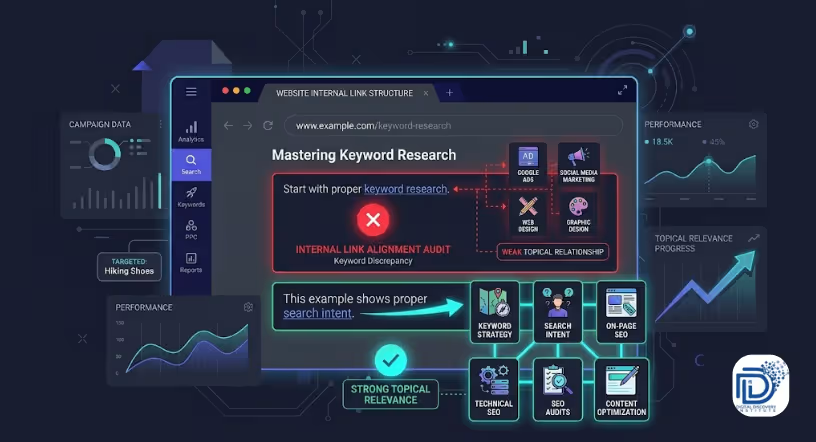
Internal links don’t just help users move around your website.
They also create relationships between pages.
Suppose you have a page about:
Keyword Research
But most of its internal links point toward:
- Google Ads
- social media marketing
- web design
- graphic design
You may be creating weaker topical relationships than if you connected it with:
- keyword strategy
- search intent
- on-page SEO
- technical SEO
- SEO audits
- content optimization
Internal links should make sense in context.
For example:
Before creating your content, start with proper keyword research and understand what your audience is searching for.
Here, linking the words keyword research to a relevant guide makes sense because the destination expands on the topic.
Think of internal links as pathways through your website.
If related pages are connected logically, visitors can explore the subject naturally.
If you want to build broader digital marketing knowledge around SEO, PPC, content and other areas, you can also explore the resources available at Digital Discovery Institute.
6. Another Page May Be a Better Match for the Keyword
Sometimes the issue isn’t that your page is poorly optimized.
Another page on your website may simply be a better match.
For example, suppose you have these two pages:
Page A:
Complete SEO Guide
Page B:
Technical SEO Guide
If someone searches:
“technical SEO checklist”
Google may test both pages because both contain relevant information.
But if Page B provides a much more focused explanation, it may become the stronger candidate.
This is where keyword mapping becomes useful.
Create a simple map of your important pages:
Page | Primary Topic | Main Search Intent |
SEO Guide | SEO basics | Informational |
Keyword Research Guide | Keyword research | Informational |
Technical SEO Guide | Technical SEO | Informational |
SEO Course | Learn SEO | Commercial/educational |
Digital Marketing Diploma | Digital marketing training | Course/training |
This helps prevent multiple pages from accidentally competing for the same topic.
7. You May Have Keyword Cannibalization
Keyword cannibalization happens when multiple pages on your website target very similar search queries or topics.
For example, imagine you have:
Page 1:
SEO Keyword Research Guide
Page 2:
How to Find SEO Keywords
Page 3:
Best SEO Keyword Research Techniques
All three pages cover almost exactly the same subject.
Google has to determine which page is the most appropriate result for a particular query.
This can make your SEO strategy less clear.
What should you do?
First, check whether the pages actually serve different purposes.
If they do, keep them separate and make their intent clear.
If they don’t, consider whether you should:
- combine the content
- redirect one page
- change the focus of one page
- strengthen internal links
- make the search intent of each page more distinct
Don’t automatically delete pages just because they rank for similar keywords.
Look at the actual queries, impressions, clicks and content before making changes.
8. Your Page May Be Ranking for Related Keywords and That's Not Always Bad
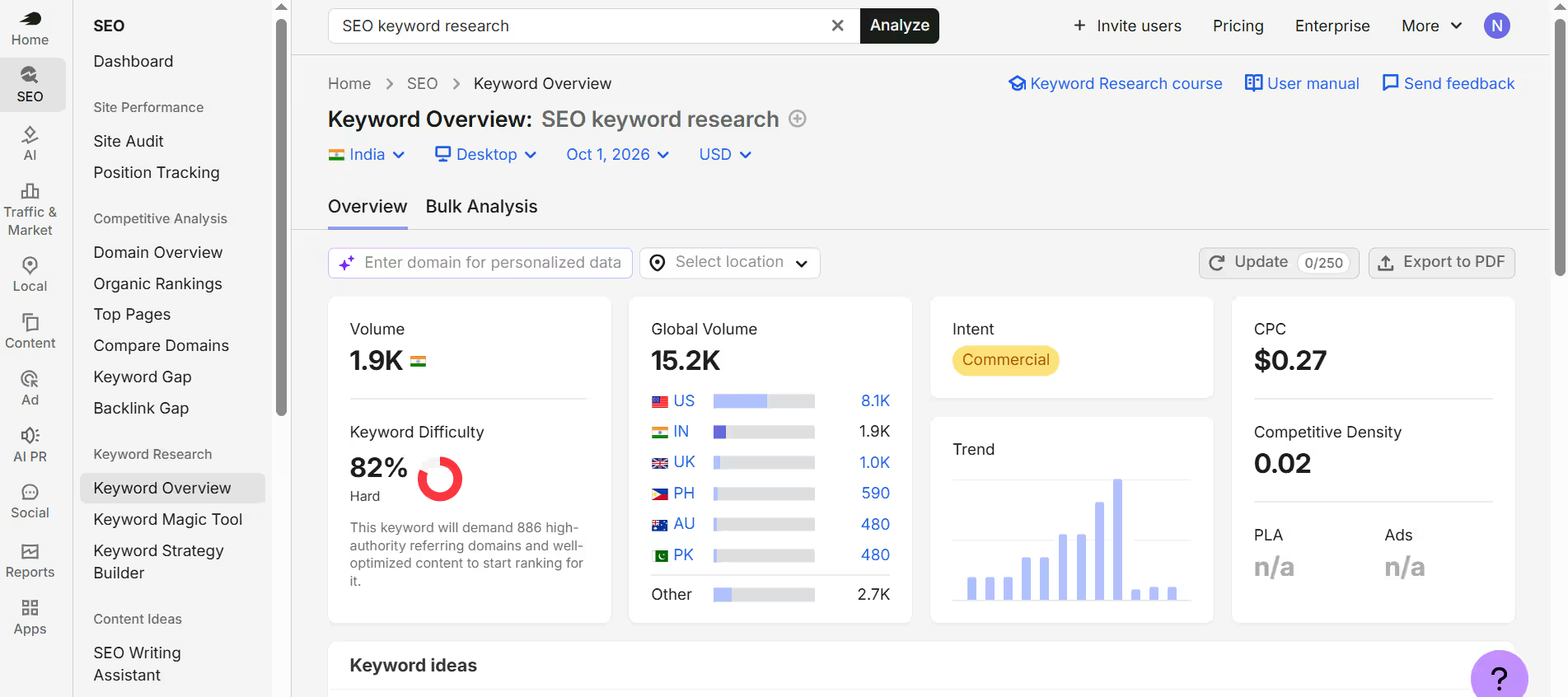
This is an important distinction.
Seeing unexpected keywords in Google Search Console doesn’t automatically mean something is wrong.
Suppose your article targets:
“SEO keyword research”
but also receives impressions for:
- keyword research
- SEO keywords
- finding keywords
- keyword strategy
- keyword planning
These are closely related.
Google may be understanding your page across a broader topic rather than one exact phrase.
The real question is:
Are the unexpected queries relevant to the page?
If yes, you may not need to change anything.
If the queries are completely unrelated, investigate why.
This is one reason Search Console is useful. It lets you see the actual queries that generated impressions and clicks rather than relying only on the keywords you originally planned to target. Google provides Search Console as a tool for monitoring how sites perform in Search.
How to Find Out Why Your Page Is Ranking for the Wrong Keyword
You don’t have to guess.
Use Google Search Console.
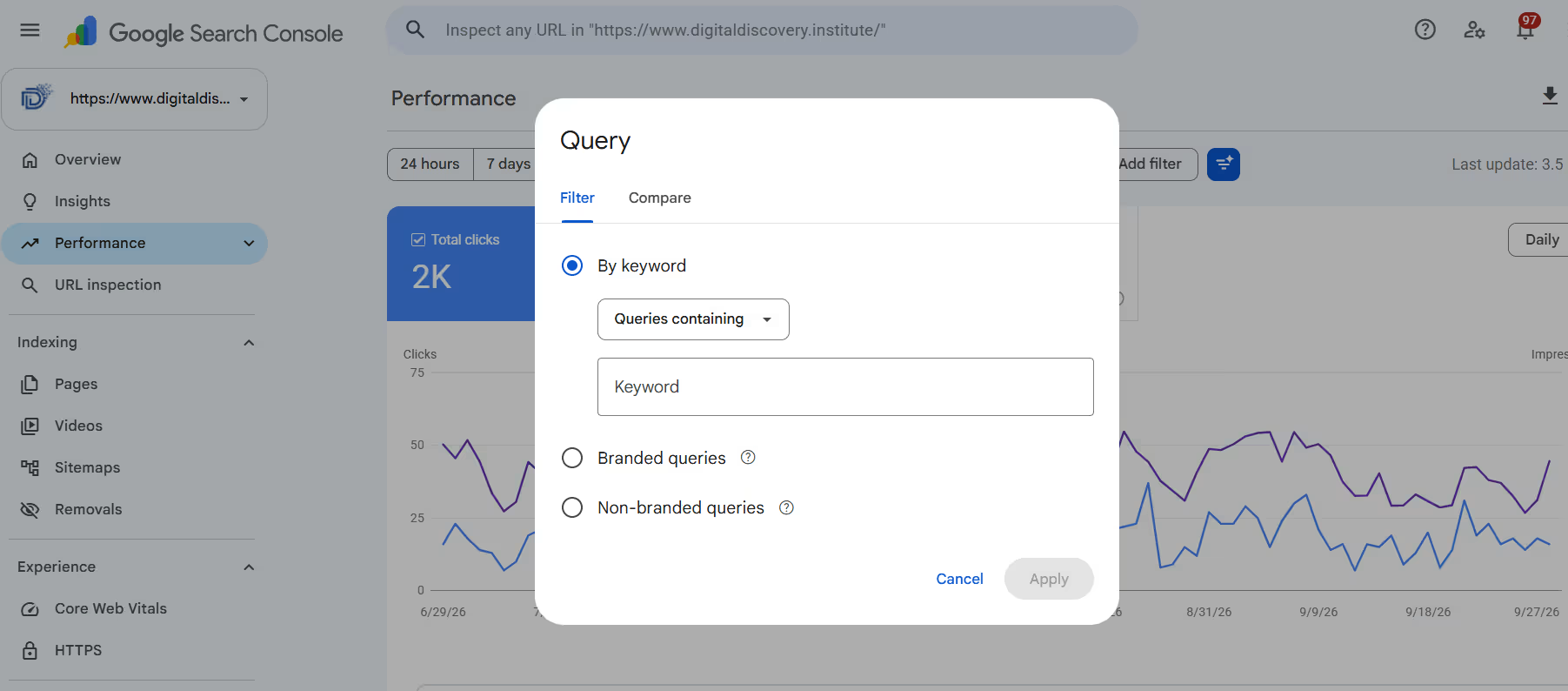
Go to:
Search Console → Performance → Search results
Then select the page you want to investigate.
Look at:
- Queries
- Clicks
- Impressions
- Average position
- CTR
Now separate the queries into three groups.
Group 1: Relevant keywords
These are closely related to your page.
Example:
Page topic: Keyword Research
Query: keyword research for beginners
These are useful.
Group 2: Related but different keywords
These may be worth investigating.
Example:
Page topic: Keyword Research
Query: SEO tools for keyword research
The query is related, but the search intent may be different.
Group 3: Completely unrelated keywords
These deserve more attention.
Example:
Page topic: Keyword Research
Query: digital marketing salary
If your page has little to do with salaries, investigate why that phrase appears.
It may be mentioned somewhere on the page, appear in a related section, or be connected through broader content signals.
How to Fix a Page That Ranks for the Wrong Keyword
Once you’ve identified the problem, don’t immediately start adding the target keyword 20 more times.
Instead, work through these steps.
1. Recheck the Search Intent
Search the keyword yourself.
Look at the types of pages appearing in the results.
Are they:
- tutorials?
- product pages?
- category pages?
- comparison articles?
- guides?
- service pages?
This gives you clues about what the search engine is interpreting from the query.
2. Make the Main Topic Clear
Review your:
- title
- introduction
- H1
- H2 headings
- body content
- images and alt text where relevant
- internal links
Make sure they support the same central topic.
3. Remove Unnecessary Topic Expansion
If a page about keyword research has 800 words about social media advertising, ask whether that section really belongs there.
Don’t remove useful information just for the sake of SEO.
But if a section is large enough to become its own useful article, consider separating it.
4. Improve Internal Linking
Link from related pages using natural, descriptive anchor text.
For example:
Good:
Learn how to perform keyword research step by step.
Rather than:
Click here to learn more.
The destination page and anchor should make sense together.
5. Check Other Pages on Your Website
Search your site for similar content.
You may discover that another article is actually better suited to the keyword.
In that case, strengthen the more relevant page rather than trying to make every page rank for the same topic.
6. Give Google Time to Reprocess the Changes
SEO changes don’t always appear immediately.
After making substantial changes, monitor the page again in the Search Console.
Look for changes in:
- query relevance
- impressions
- clicks
- average position
- CTR
Don’t judge the result from one day’s data.
Should You Add the Keyword More Times?
Usually, no.
Repeating a keyword excessively can make content unnatural and doesn’t solve a search-intent problem.
Instead, use the language that naturally explains the topic.
For example, an article about keyword research might naturally contain phrases such as:
- search intent
- keyword ideas
- search volume
- keyword difficulty
- related searches
- content strategy
- target audience
These terms help explain the subject without forcing the same exact phrase repeatedly.
The goal is to make the page useful and clear for people first.
A Simple Example
Imagine you publish this article:
“How to Choose SEO Keywords for Your Website”
But after a few weeks, Search Console shows that it is receiving impressions for:
“SEO course”
You could simply add “SEO course” throughout the article.
That would not necessarily solve the problem.
Instead, ask:
Why does Google associate this page with SEO courses?
Perhaps you have a large section discussing SEO training.
Perhaps several internal links point from the article to your training page using course-related anchor text.
Or perhaps the page discusses learning SEO as a major topic.
If your goal is to rank for SEO course, a dedicated course page may be more appropriate than trying to turn a keyword research article into a course page.
For example, a dedicated digital marketing diploma program can serve a very different search intent from an informational keyword research article.
That’s the key idea:
Don’t force one page to satisfy every keyword.
Create the right page for the right intent.
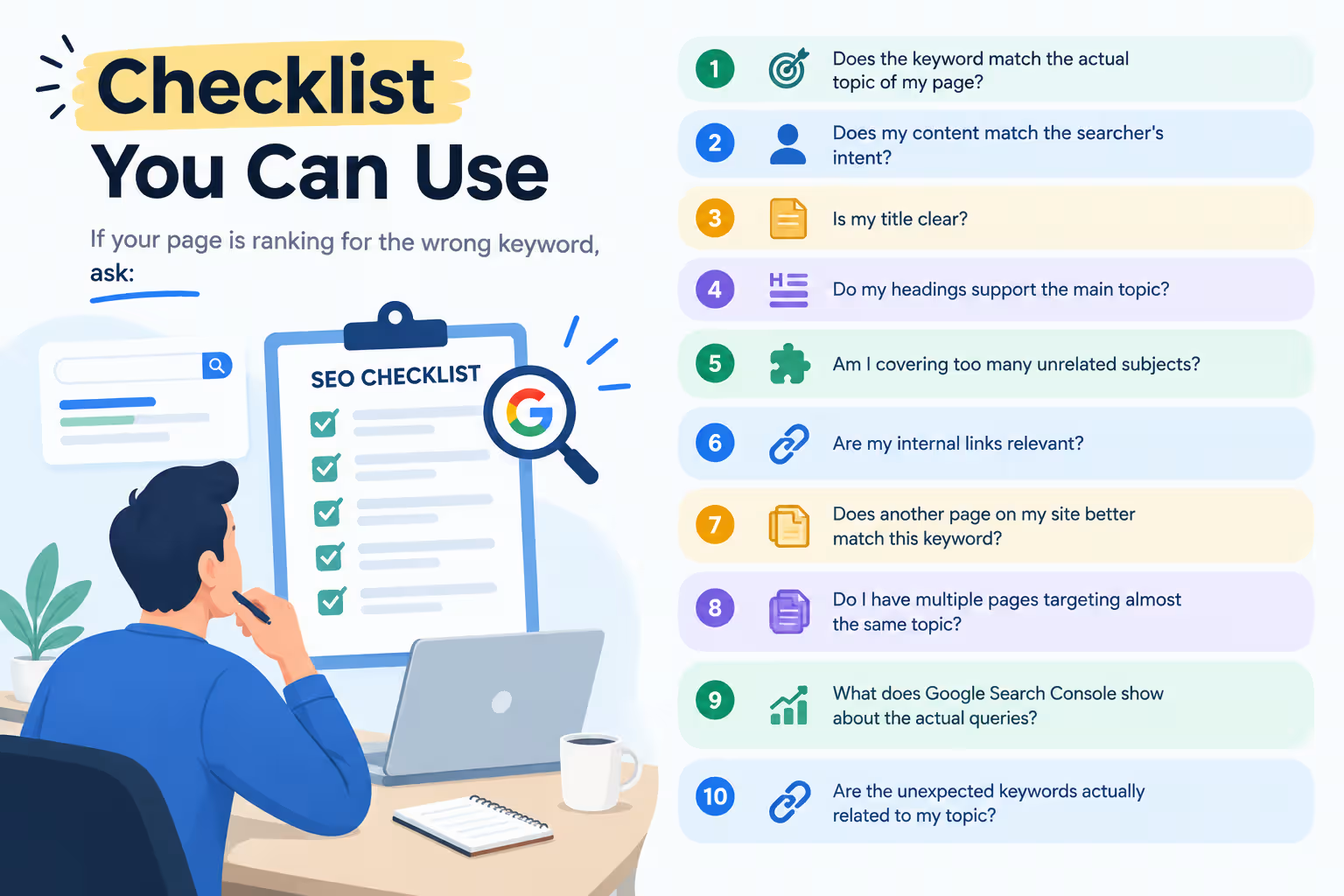
If your page is ranking for the wrong keyword, ask:
- Does the keyword match the actual topic of my page?
- Does my content match the searcher’s intent?
- Is my title clear?
- Do my headings support the main topic?
- Am I covering too many unrelated subjects?
- Are my internal links relevant?
- Does another page on my site better match this keyword?
- Do I have multiple pages targeting almost the same topic?
- What does Google Search Console show about the actual queries?
- Are the unexpected keywords actually related to my topic?
Most importantly, don’t panic when you see unexpected keywords.
A page ranking for related variations can be completely normal.
The real issue is when the queries bringing impressions and clicks are consistently disconnected from what the page is supposed to help users accomplish.
SEO is not just about telling Google which keyword you want to rank for.
It’s about making the purpose of the page clear and creating the content that best serves the person behind the search.
So understanding keywords is only one part of effective SEO. You also need to understand search intent, content optimization, technical SEO, analytics and how different digital marketing channels work together.
If you want to learn these skills through practical digital marketing training, explore the Digital Marketing Diploma program from Digital Discovery Institute.
Frequently Asked Questions (FAQs)
Why is my website ranking for unrelated keywords?
Google uses multiple signals to understand the topic and relevance of a page. If unrelated keywords appear in Search Console, review the page content, headings, internal links and other pages on your site to see why those terms may be associated with the page.
Is ranking for the wrong keyword bad for SEO?
Not necessarily. Ranking for closely related keyword variations can be normal and may show that Google understands your content broadly. It becomes more concerning when the queries are consistently unrelated to the page’s purpose or bring visitors with the wrong search intent.
How do I check which keywords my page ranks for?
Use Google Search Console. Open the Performance report, select a specific page using the URL filter, and review the queries, impressions, clicks, CTR and average position associated with that page.
Should I change my page if it ranks for an unexpected keyword?
Not always. First determine whether the keyword is closely related to the page. If it is relevant, you may not need to make any changes. If the keyword reflects a completely different search intent, review your content structure and keyword targeting.
Can internal links affect which keywords a page ranks for?
Internal links help connect pages and provide context about relationships between content. Relevant, descriptive internal links can make your site’s structure easier for users and search engines to understand. However, internal links are only one part of how Google evaluates pages.