
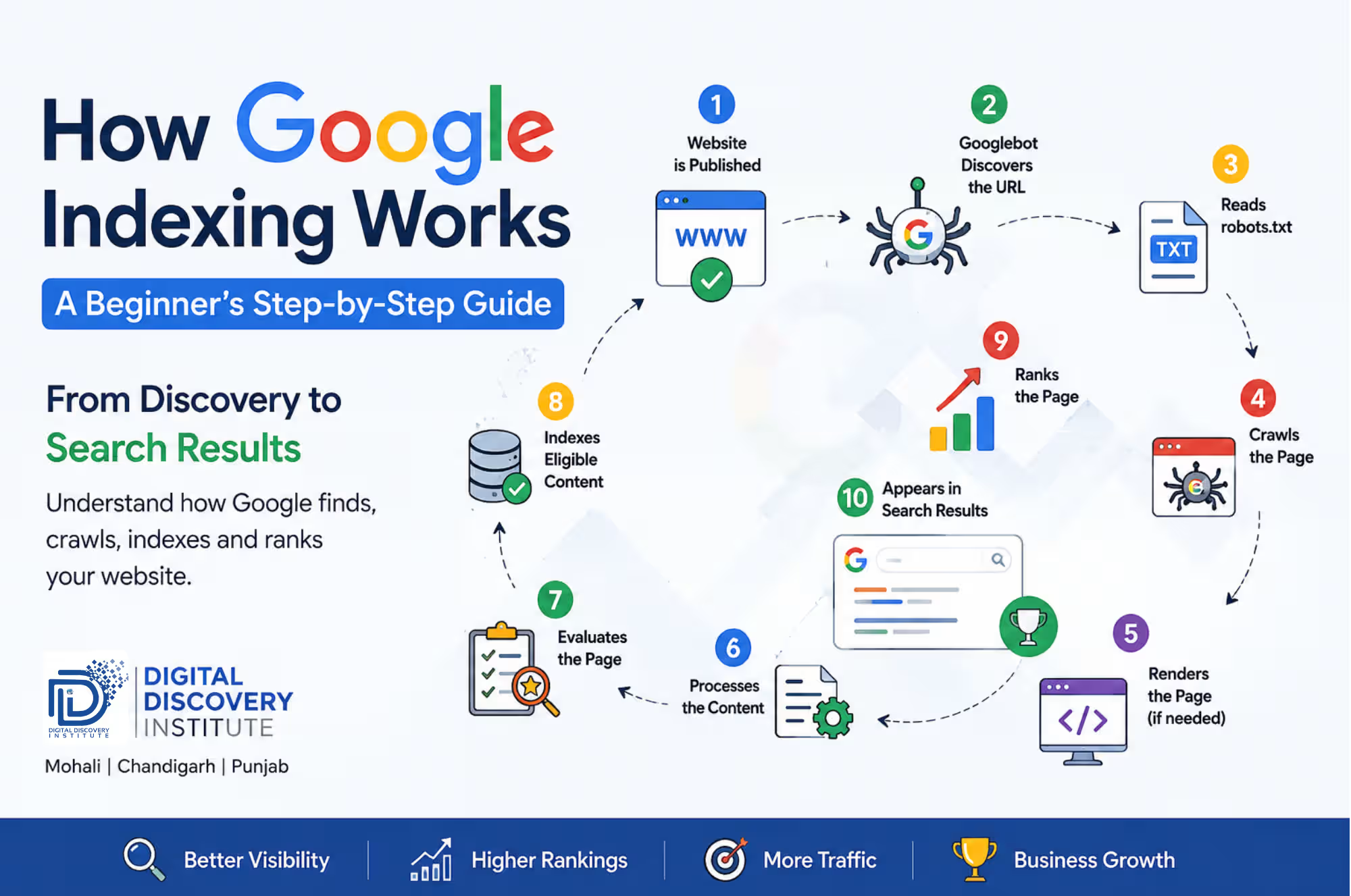
You hit publish. You wait. Nothing happens.
Your page doesn’t show up when you search for it. Search Console says “Crawled – currently not indexed.” And you’re left wondering whether you did something wrong.
Here’s the part most guides skip: publishing and indexing are two completely different events.
Google doesn’t watch your website in real time. It has to find your page, read it, decide if it’s worth keeping, and only then does it earn a spot in the index – the actual database Google search results are pulled from.
This guide walks through that entire journey in order, using the same framework Google’s own documentation describes, plus what actually happens in practice when a page gets stuck.
Table of Contents
What Indexing Actually Means
Indexing is Google adding your page to its searchable database. Think of the index as a library card catalog for the entire web. If your page isn’t in the catalog, it cannot appear in search results, no matter how good it is.
Publishing a page is step zero. It only makes the page available to be found; it doesn’t put it in front of anyone yet.
Step 1: Discovery
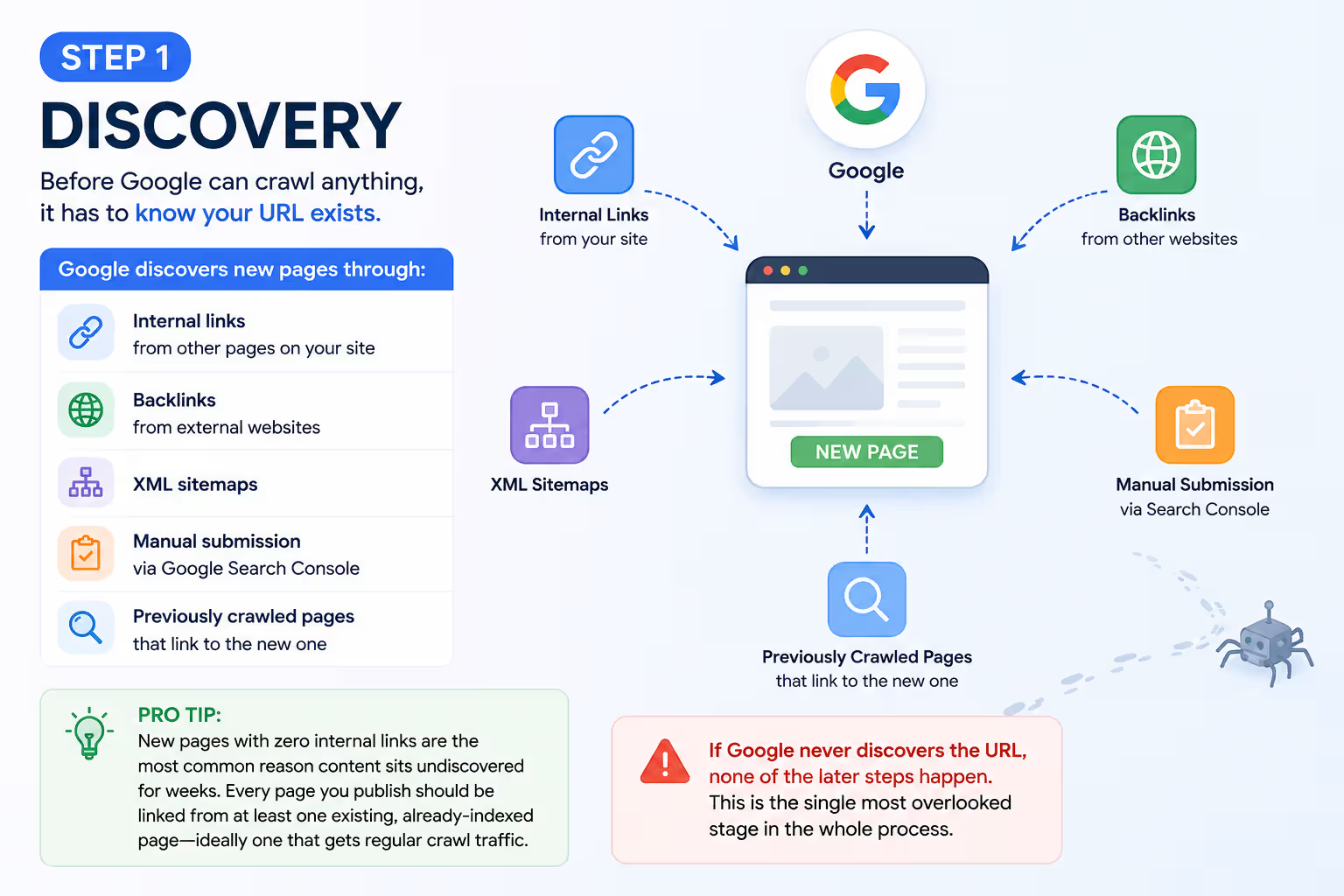
Before Google can crawl anything, it has to know your URL exists. Google discovers new pages through:
- Internal links from other pages on your site
- Backlinks from external websites
- XML sitemaps
- Manual submission via Google Search Console
- Previously crawled pages that link to the new one
Pro Tip: New pages with zero internal links are the most common reason content sits undiscovered for weeks. Every page you publish should be linked from at least one existing, already-indexed page ideally one that gets regular crawl traffic.
If Google never discovers the URL, none of the later steps happen. This is the single most overlooked stage in the whole process.
An XML sitemap makes it easier for search engines to discover your important pages, especially on large websites.
If you’re new to SEO, start by understanding Technical SEO, which forms the foundation of crawling and indexing.
Step 2: The Robots.txt Check
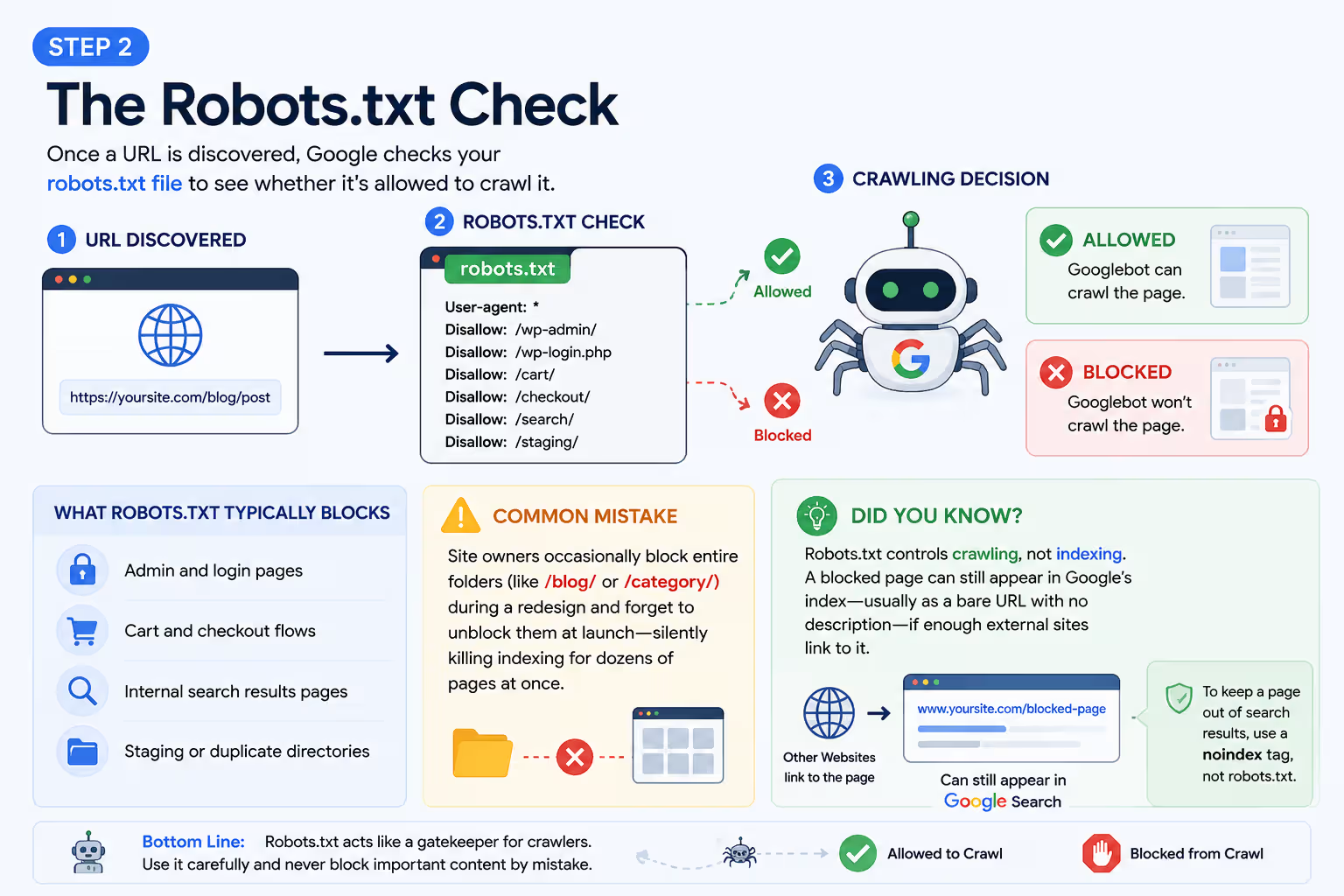
Once a URL is discovered, Google checks your robots.txt file to see whether it’s allowed to crawl it. This file typically blocks:
- Admin and login pages
- Cart and checkout flows
- Internal search results pages
- Staging or duplicate directories
Common Mistake: Site owners occasionally block entire folders (like /blog/ or /category/) during a redesign and forget to unblock them at launch silently killing indexing for dozens of pages at once.
Did You Know? Robots.txt controls crawling, not indexing. A blocked page can still appear in Google’s index usually as a bare URL with no description if enough external sites link to it. Blocking a URL is not a reliable way to keep it out of search results; use a noindex tag for that instead.
Step 3: Crawling
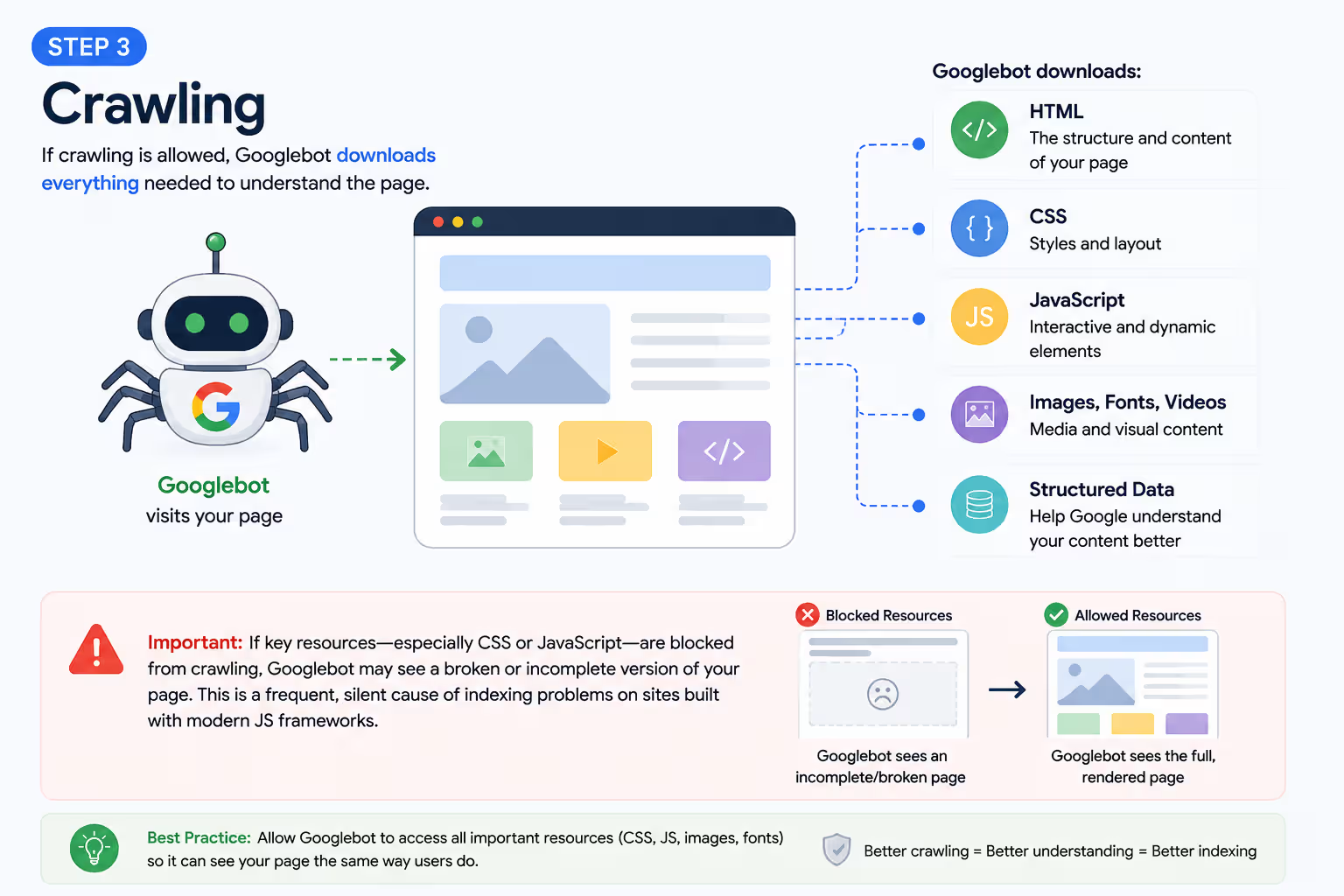
If crawling is allowed, Googlebot downloads everything needed to understand the page: HTML, CSS, JavaScript, images, fonts, videos, and structured data.
If key resources especially CSS or JavaScript are blocked from crawling, Googlebot may see a broken or incomplete version of your page. This is a frequent, silent cause of indexing problems on sites built with modern JS frameworks.
Step 4: Rendering
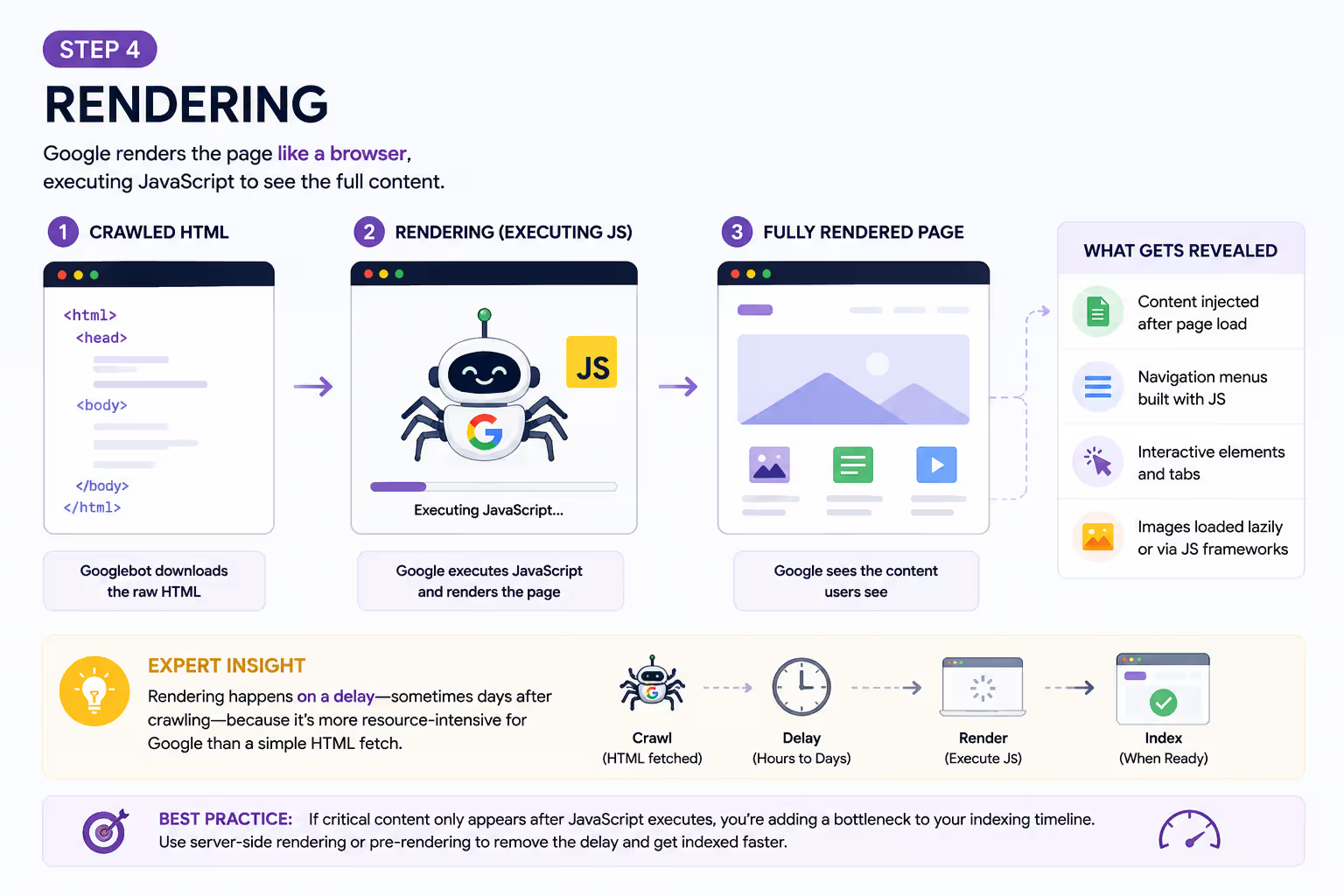
Most websites today load some content dynamically through JavaScript. Google doesn’t stop at raw HTML it renders the page much like a browser would, executing scripts to reveal:
- Content injected after page load
- Navigation menus built with JS
- Interactive elements and tabs
- Images loaded lazily or via JS frameworks
Expert Insight: Rendering happens on a delay sometimes days after crawling because it’s more resource-intensive for Google than a simple HTML fetch. If your critical content only appears after JavaScript executes, you’re adding a bottleneck to your own indexing timeline. Server-side rendering or pre-rendering critical content removes that delay entirely.
Step 5: Processing & Understanding
Now Google reads the rendered page to figure out what it’s actually about. It analyzes:
- Title tag and meta description
- Heading structure (H1-H6)
- Body content and topical depth
- Image alt text
- Internal and external links
- Structured data (schema markup)
- Canonical tags
This step determines how your page relates to every other page on your site and to competing pages across the web. Clear headings and a well-defined topic focus make this step dramatically more accurate.
Step 6: Quality Evaluation
This is the gatekeeping stage and it’s where most “why isn’t my page indexed” problems actually originate.
Not every crawled and rendered page earns a place in Google’s index. Google weighs signals including:
Signal | What Google Is Checking |
Content originality | Is this genuinely new information, or a rehash? |
Search intent match | Does it actually answer what people are searching for? |
Content depth | Does it cover the topic thoroughly? |
Duplication | Is this substantially similar to another indexed page? |
E-E-A-T | Experience, Expertise, Authoritativeness, Trust |
Core Web Vitals | Load speed, interactivity, visual stability |
Mobile usability | Does it work properly on a phone? |
HTTPS security | Is the connection secure? |
If a page scores poorly here, Google often skips indexing entirely which is exactly what produces the “Crawled currently not indexed” status in Search Console.
Step 7: Indexing
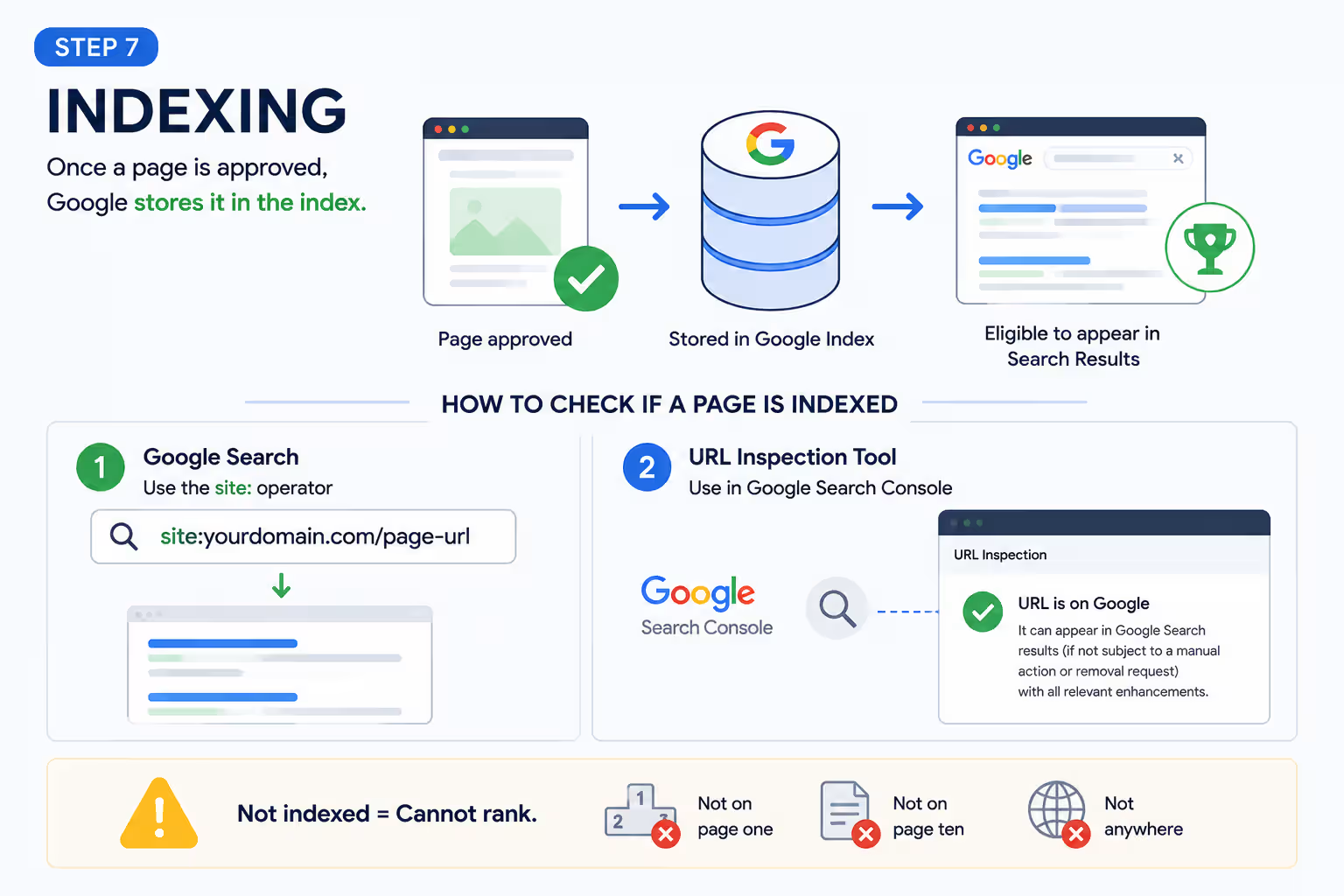
Once a page clears quality evaluation, Google stores it in the index the massive database search results are actually served from.
To check if a specific page is indexed, use either:
- site:yourdomain.com/page-url in a Google search
- The URL Inspection tool in Google Search Console (more reliable and detailed)
A page that isn’t indexed cannot rank not on page one, not on page ten, not anywhere.
Step 8: Ranking
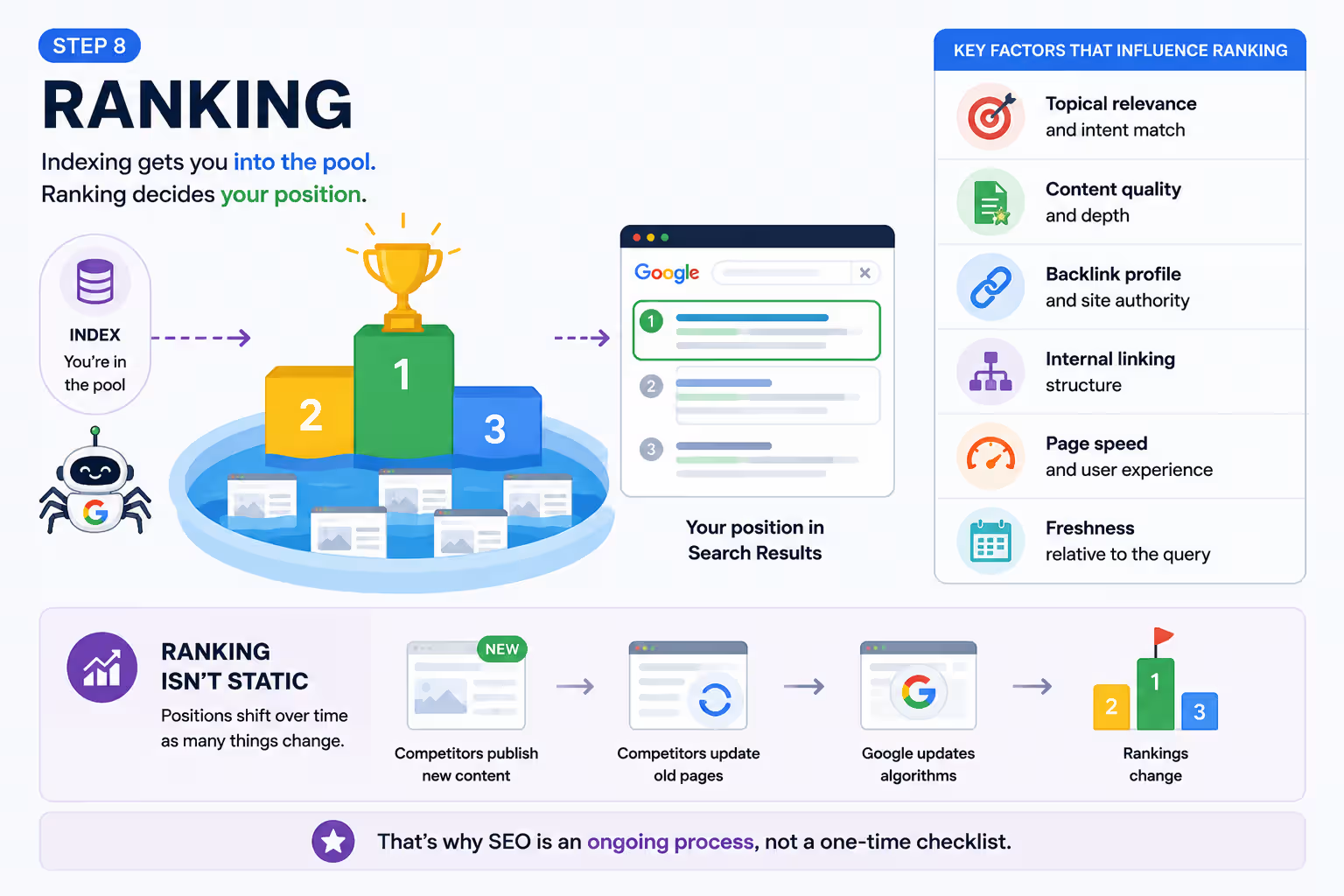
Indexing gets you into the pool. Ranking decides your position within it, based on hundreds of factors, including:
- Topical relevance and intent match
- Content quality and depth
- Backlink profile and site authority
- Internal linking structure
- Page speed and user experience
- Freshness relative to the query
Ranking isn’t static. Positions shift as competitors publish new content, update old pages, or as Google’s algorithms are refined which is why SEO is an ongoing process, not a one-time checklist.
Related post: Google Ads Keyword Planner Guide
Why Pages Get Stuck at "Crawled – Not Indexed"
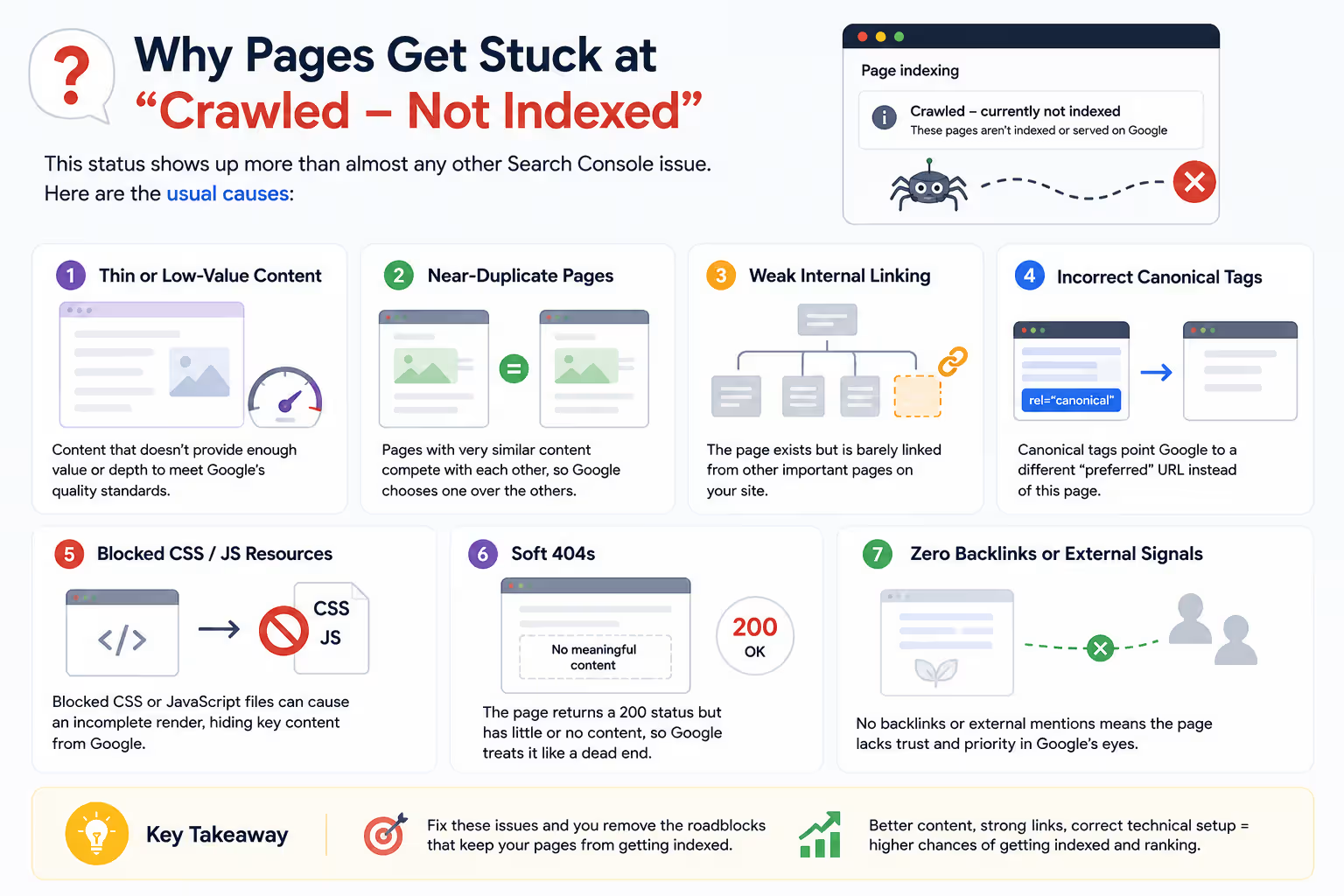
In our SEO training work with real client and student websites, this status shows up more than almost any other Search Console issue. The usual causes:
- Thin or low-value content that doesn’t clear the quality bar
- Near-duplicate pages competing with each other on the same site
- Weak internal linking the page exists but is barely connected to the rest of the site
- Incorrect canonical tags pointing Google to a different “preferred” URL
- Blocked CSS/JS resources producing an incomplete render
- Soft 404s – pages that return a 200 status but have essentially no content
- Zero backlinks or external signals suggesting the page isn’t worth prioritizing
How to Get Indexed Faster
- Publish genuinely original, in-depth content not a summary of what’s already ranking
- Keep your XML sitemap current and submitted in Search Console
- Link every new page internally from at least one relevant, already-indexed page
- Avoid accidentally blocking important pages in robots.txt
- Fix Core Web Vitals and mobile usability issues before they compound
- Use the URL Inspection tool to request indexing manually for priority pages
- Add relevant structured data (Article, FAQ, HowTo) where appropriate
- Refresh and expand older content instead of only publishing new pages
Want to Learn SEO Beyond the Basics?
Understanding how Google discovers, crawls, renders, indexes, and ranks websites is essential for anyone serious about SEO. At Digital Discovery Institute, Mohali, you’ll learn these concepts through live projects, real website audits, Google Search Console, GA4, Screaming Frog, and hands-on technical SEO practice – not just classroom theory.
FAQ
How long does it take Google to index a new page?
It varies widely anywhere from a few hours to several weeks depending on your site’s crawl budget, authority, and how easily Google can discover the new URL.
Does submitting a sitemap guarantee indexing?
No. A sitemap only helps with discovery. Google still runs the page through crawling, rendering, and quality evaluation before deciding whether to index it.
Why does Search Console say "Discovered – currently not indexed"?
Google knows the URL exists but hasn’t crawled it yet, usually due to crawl budget constraints or low perceived priority.
Can a page be indexed even if it's blocked in robots.txt?
Yes. Robots.txt blocks crawling, not indexing. If enough external links point to a blocked URL, Google can still index it typically without a title or description.
Does site speed affect indexing, or only ranking?
Both. Extremely slow or unstable pages can affect crawl efficiency and are also weighed during the quality evaluation stage before indexing.
What's the fastest way to request indexing for one specific page?
Use the URL Inspection tool in Google Search Console and click “Request Indexing.” It’s not instant, but it does prioritize the URL for Google’s next crawl pass.