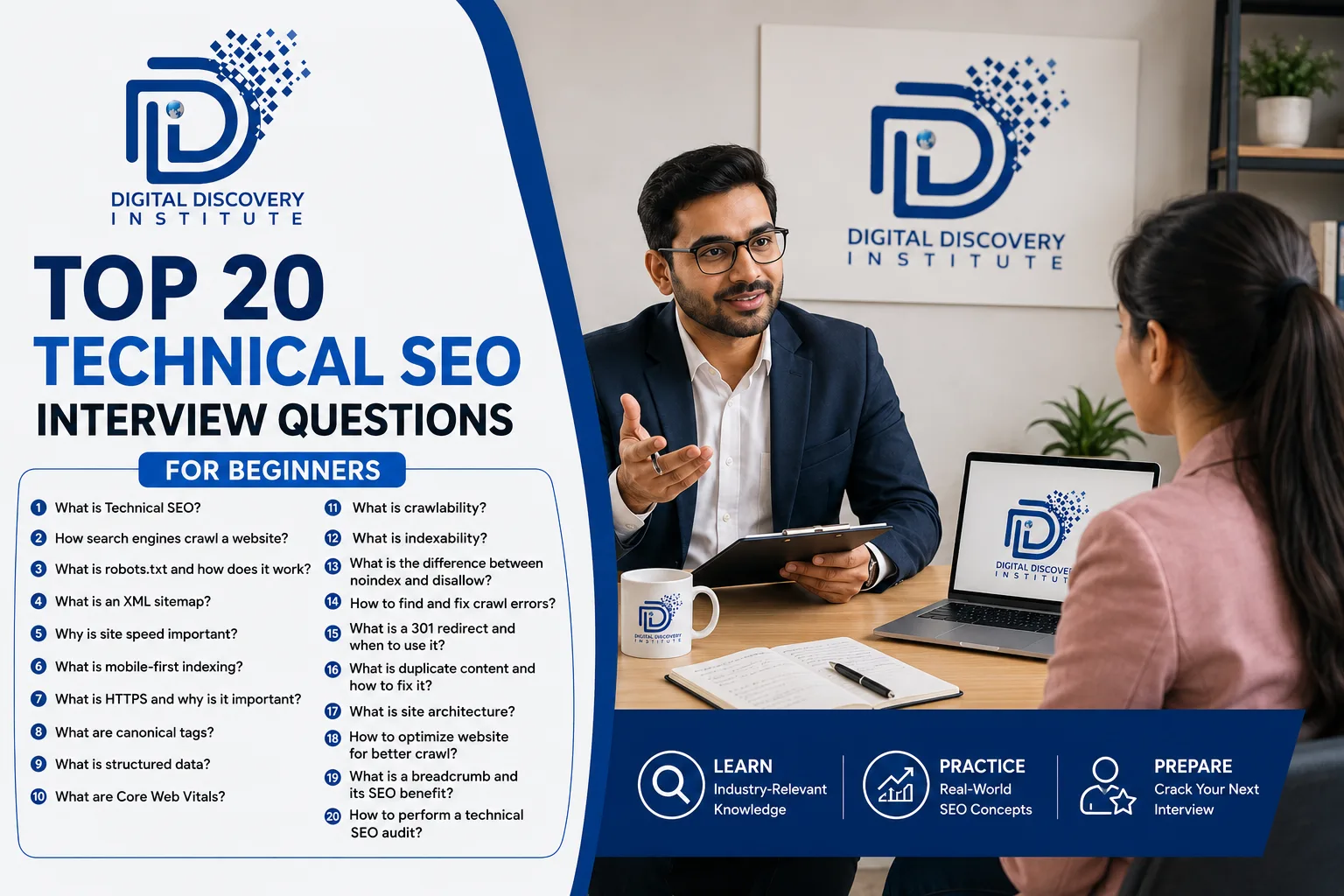
Preparing for a Technical SEO interview? This guide covers 20 important beginner-level questions with simple, interview-ready answers. It is useful for SEO students, freshers, and entry-level SEO executives.
Table of Contents
- What is Technical SEO?
- What is Crawling in SEO?
- What is Googlebot?
- What is Robots.txt?
- What is an XML Sitemap?
- What is the Difference Between Crawling and Indexing?
- What is a Canonical Tag?
- What are HTTP Status Codes?
- What is a 301 Redirect?
- What is a 404 Error?
- What is HTTPS?
- What are Core Web Vitals?
- What is Page Speed?
- What is Mobile-First Indexing?
- What is Structured Data?
- What is an Hreflang Tag?
- What is an Orphan Page?
- What is an SEO-Friendly URL?
- What are Internal Links?
- Which Tools are Used for Technical SEO?
1. What is Technical SEO?
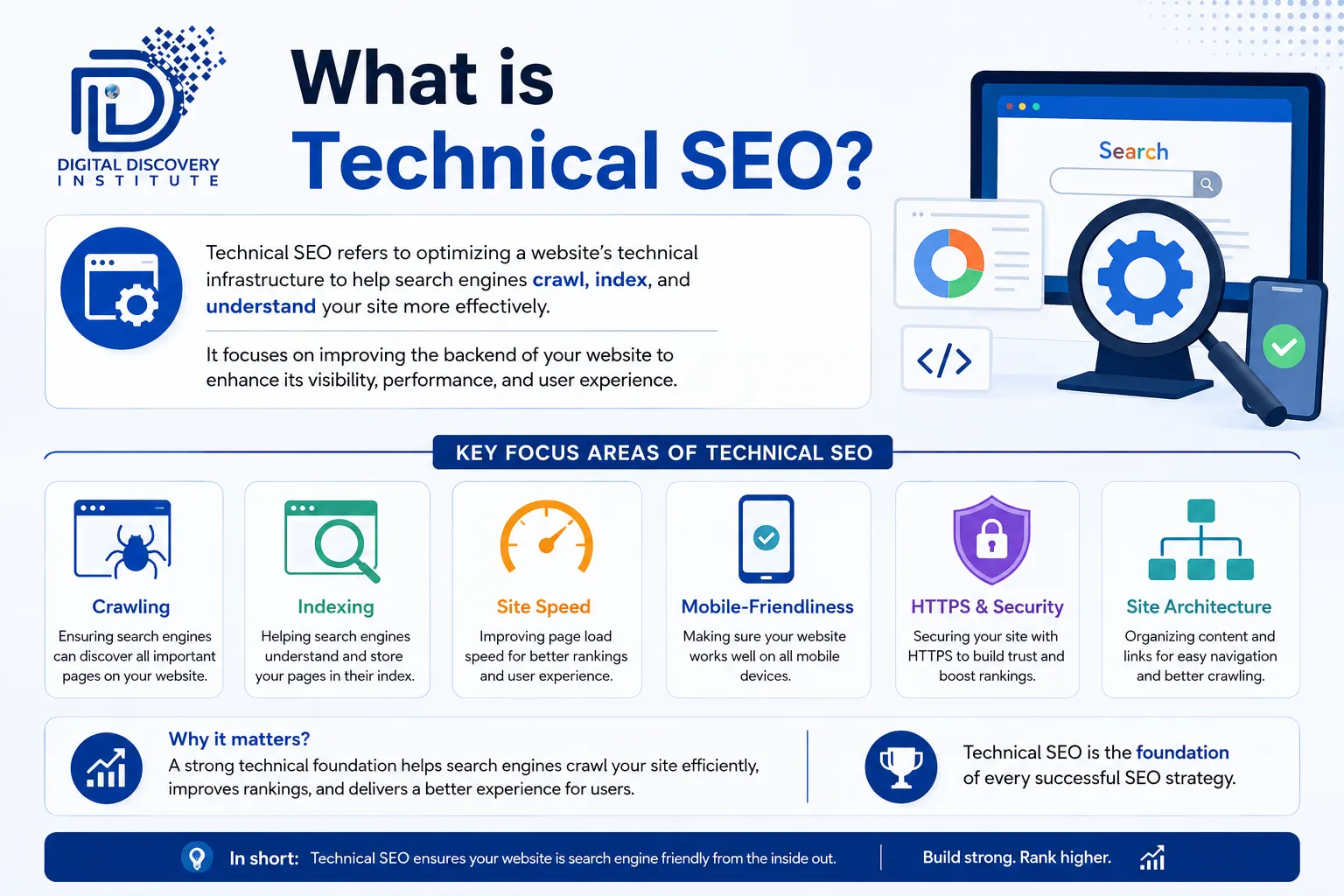
Answer: Technical SEO is the process of improving the technical aspects of a website so that search engines can crawl, understand, index, and rank its pages effectively.
Examples:
- Improving website speed
- Fixing crawl errors
- Optimizing robots.txt
- Creating XML sitemaps
- Fixing broken links
- Implementing canonical tags
- Improving mobile usability
2. What is Crawling in SEO?
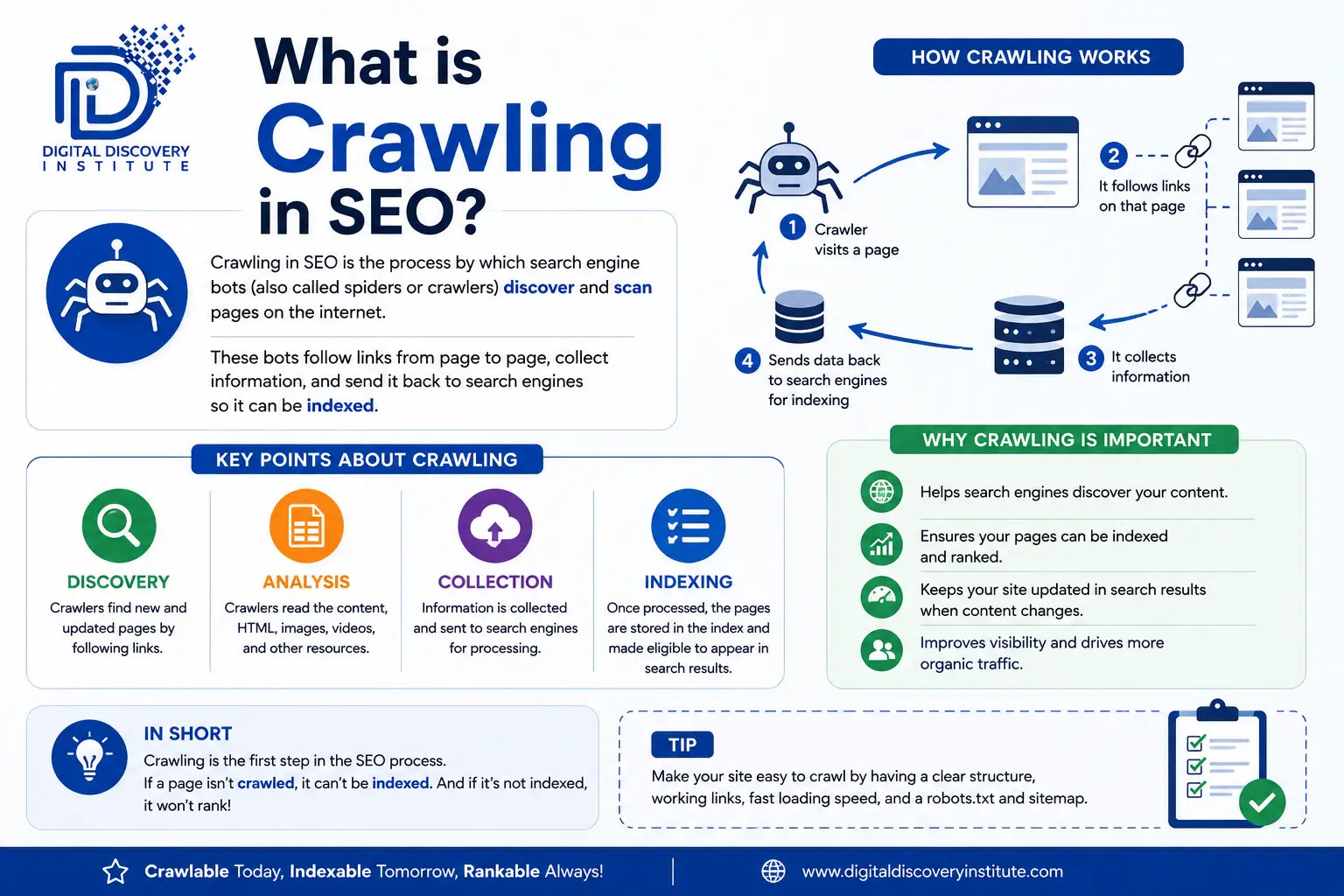
Answer: Crawling is the process where search engine bots visit webpages and discover their content and links.
For example, Googlebot crawls websites to discover new or updated pages.
Examples:
- Improving website speed
- Fixing crawl errors
- Optimizing robots.txt
- Creating XML sitemaps
- Fixing broken links
- Implementing canonical tags
- Improving mobile usability
3. What is Googlebot?
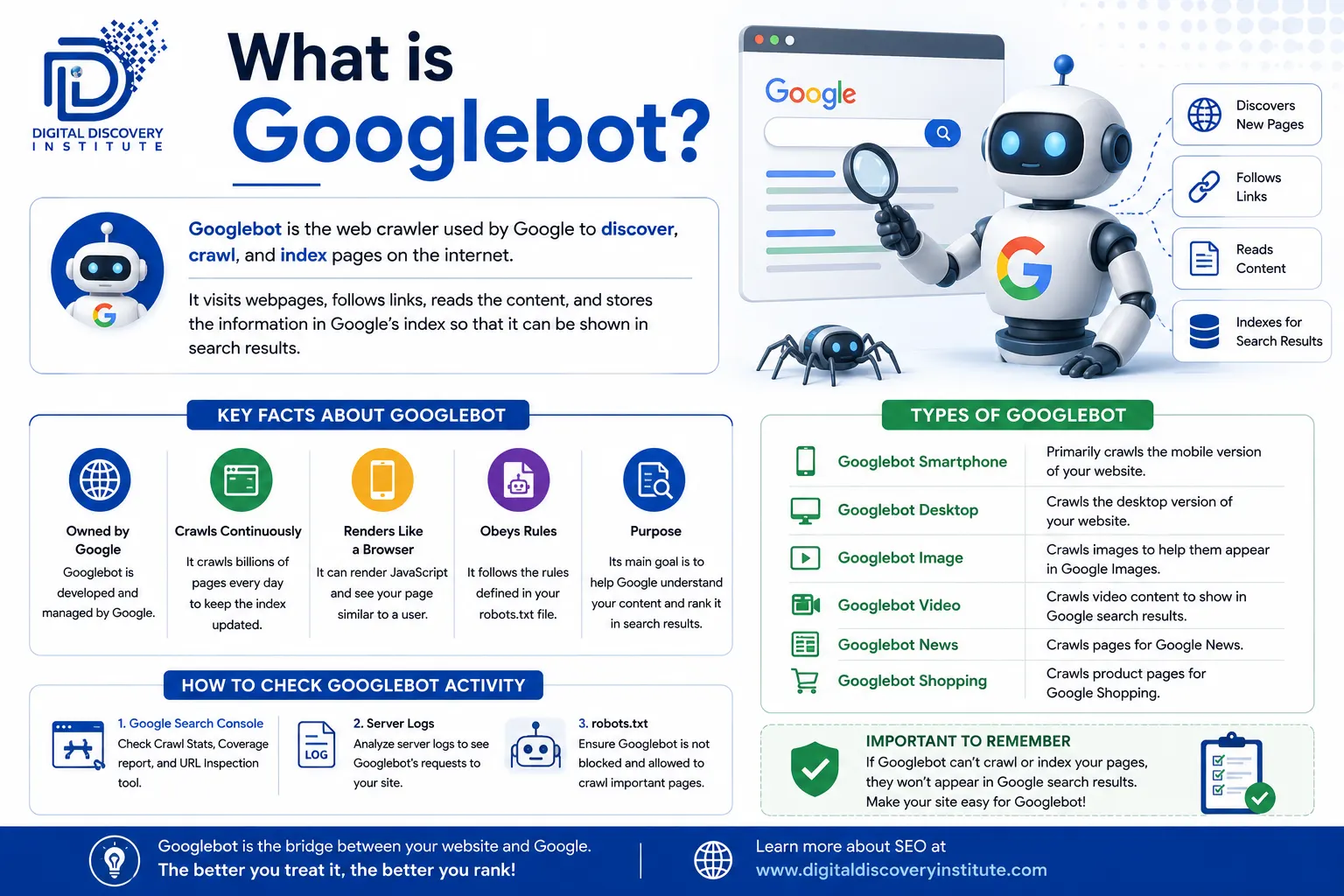
Answer: Googlebot is Google’s web crawler. It discovers webpages by following links and accessing URLs so that Google can process their content.
Interview Tip: Remember: Googlebot = Google’s crawler.
Here you can learn complete guide on Technical SEO: Technical SEO Guide for Beginners Speed, Schema & Core Web Vitals
4. What is Robots.txt?
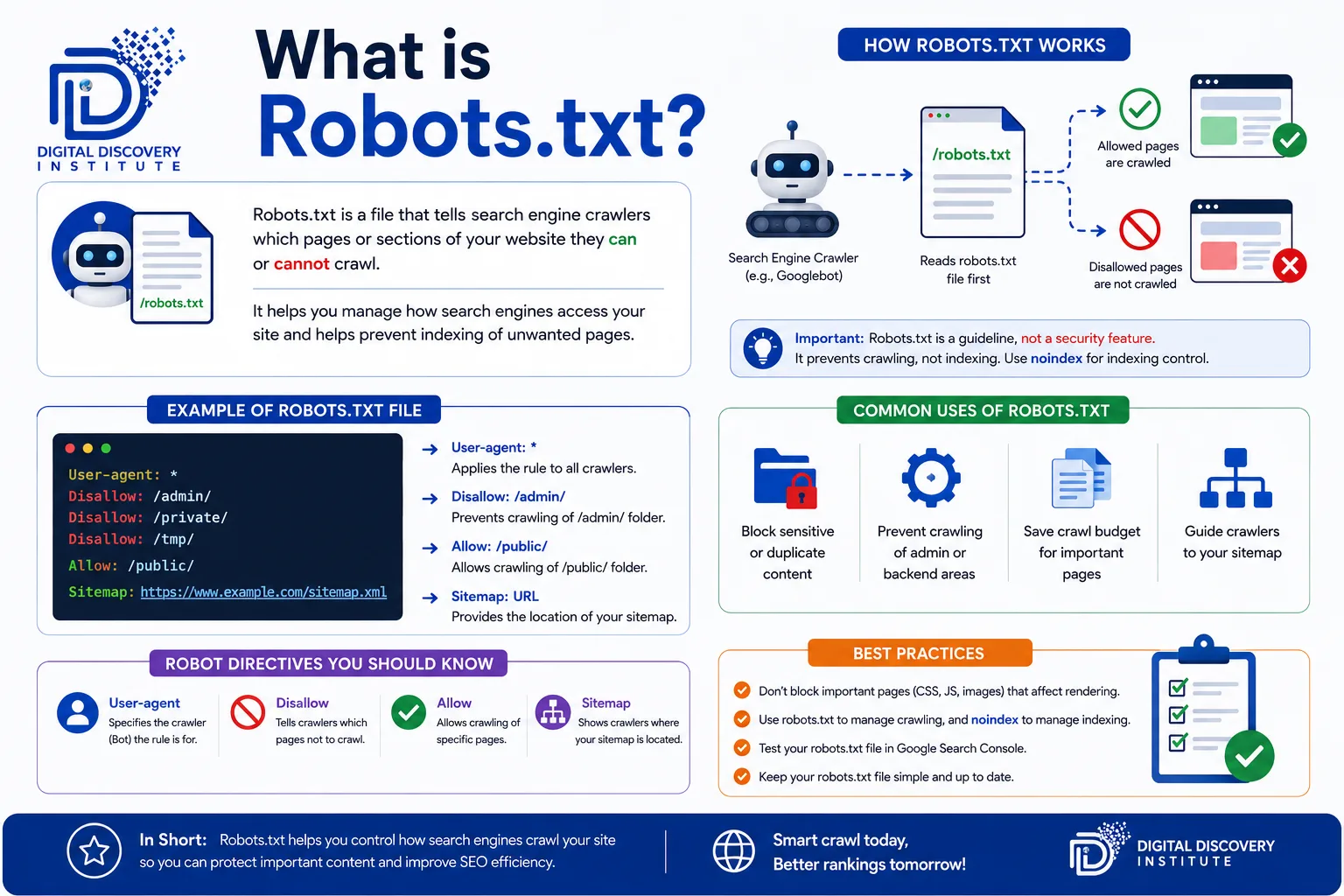
Answer: Robots.txt is a file that gives instructions to search engine crawlers about which areas or URLs they should or shouldn’t crawl.
Example:
User-agent: *
Disallow: /admin/
Important: Robots.txt controls crawling; it is not a reliable method for preventing a URL from being indexed.
5. What is an XML Sitemap?
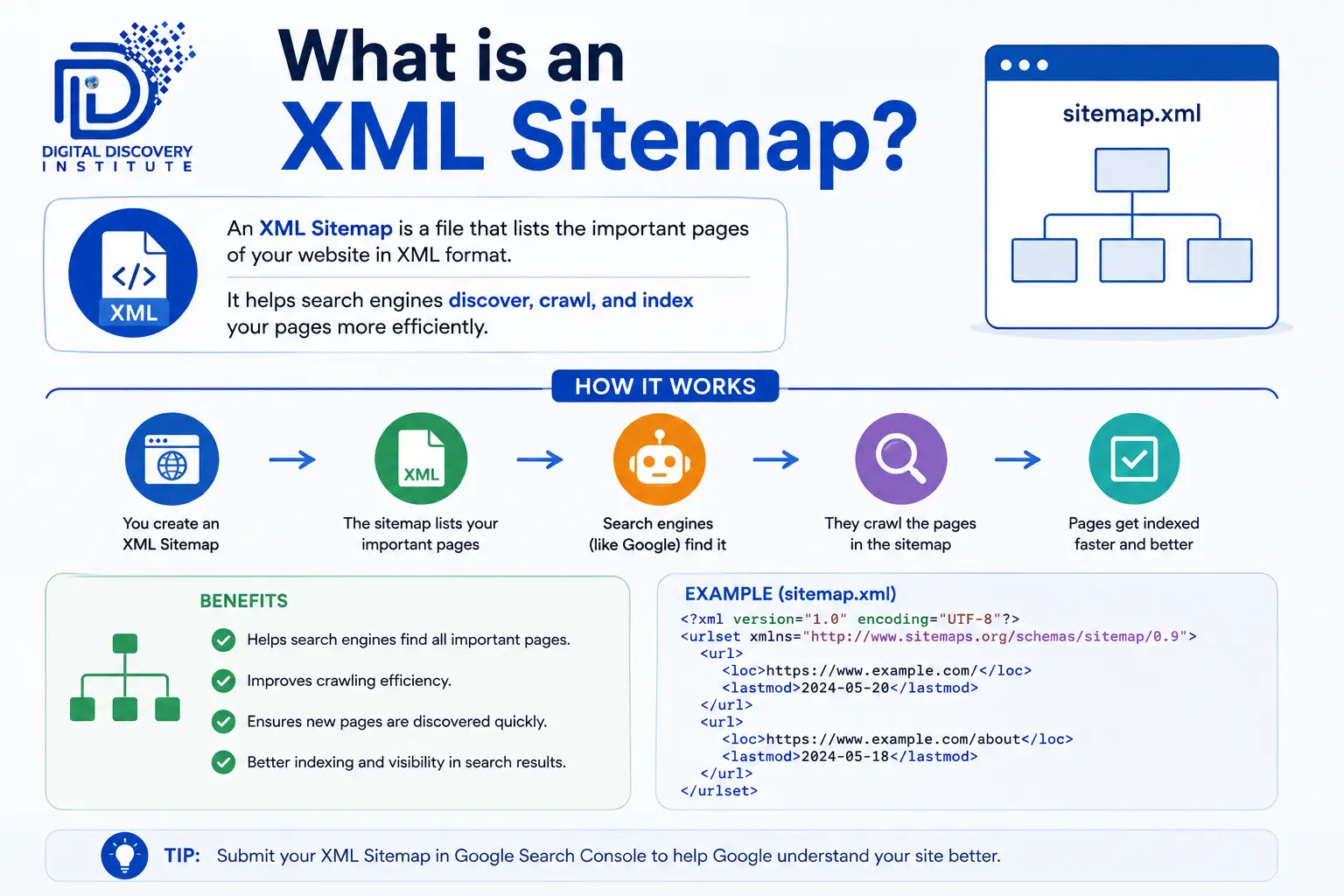
Answer: An XML sitemap is a file containing important URLs that helps search engines discover pages on a website.
Example:
https://example.com/sitemap.xml
It is particularly useful for large websites, new websites, and websites with complex structures.
6. What is the Difference Between Crawling and Indexing?
Answer:
Crawling | Indexing |
Search engine discovers and accesses a URL | Search engine processes and stores information about a page |
Done by crawlers such as Googlebot | Happens after processing the page |
Focuses on discovery | Focuses on inclusion in the search index |
Simple example: Crawling = Google visits your page. Indexing = Google considers the page for its search index.
7. What is a Canonical Tag?
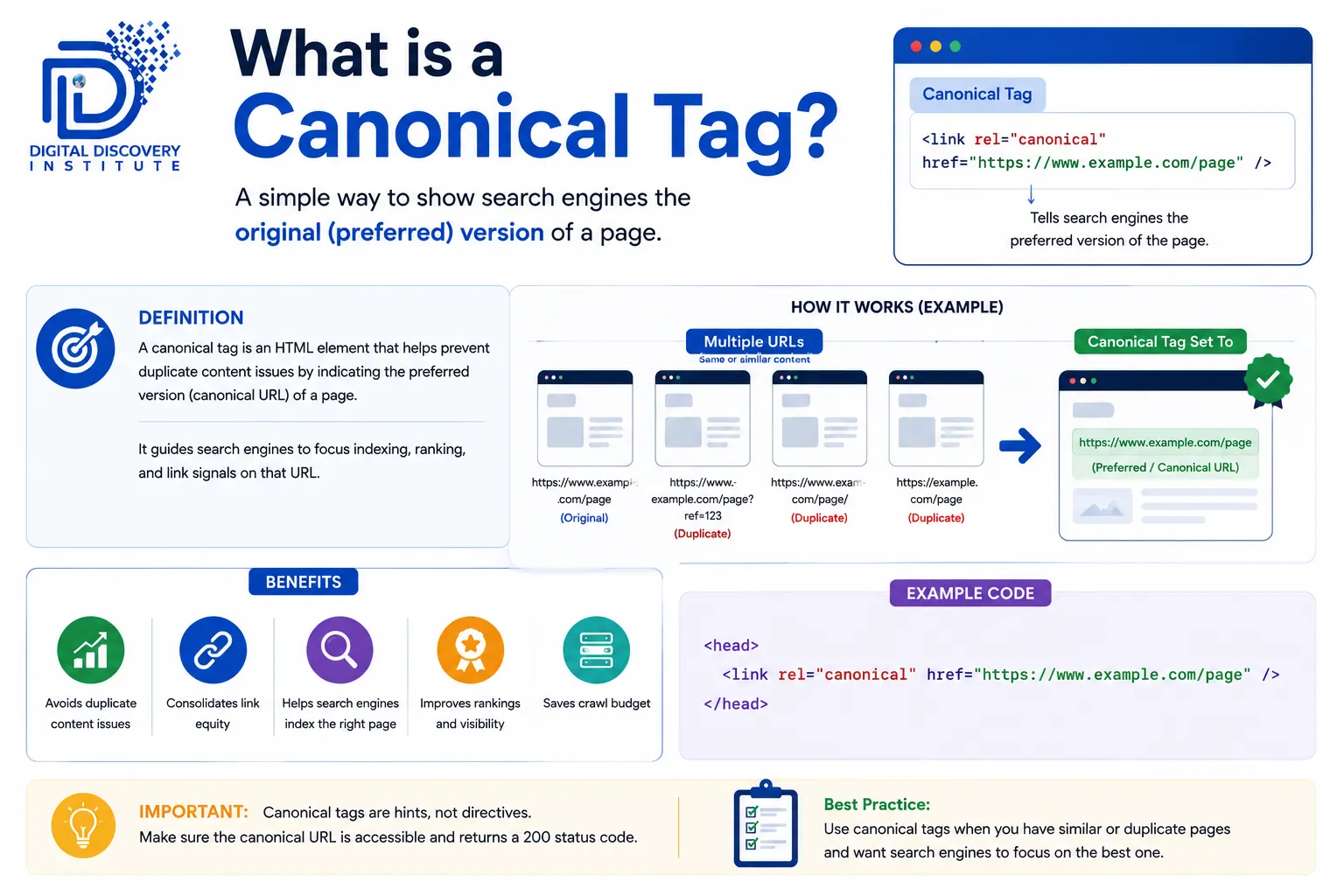
Answer: A canonical tag tells search engines which URL is the preferred version when multiple URLs contain similar or duplicate content.
Example:
<link rel=”canonical” href=”https://example.com/product” />
Canonical tags help consolidate signals toward the preferred URL.
8. What are HTTP Status Codes?
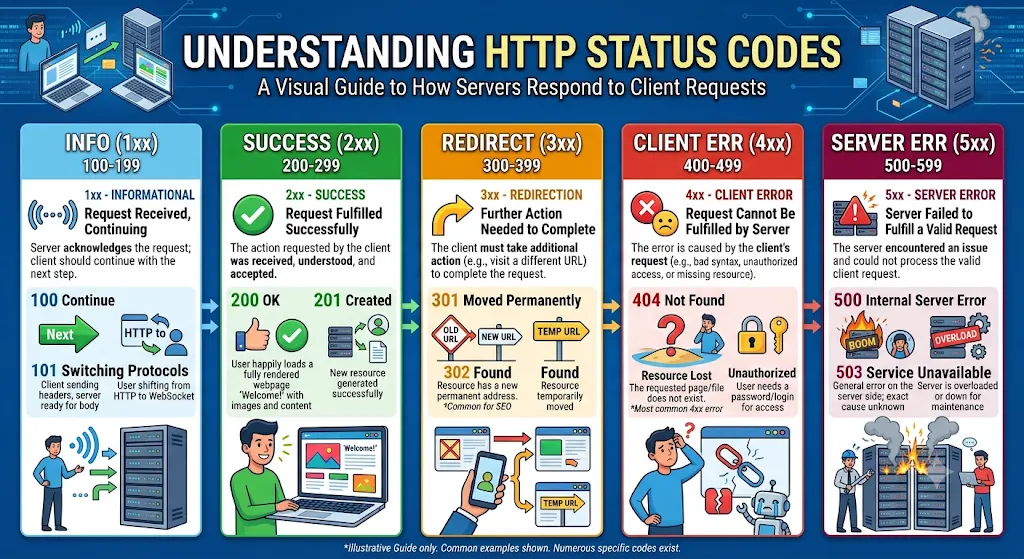
Answer: HTTP status codes tell browsers and search engines what happened when a URL was requested.
Code | Meaning |
200 | Successful request |
301 | Permanent redirect |
302 | Temporary redirect |
404 | Page not found |
410 | Page permanently gone |
500 | Server error |
Note: A 410 tells search engines the removal is intentional and permanent, which can lead to faster de-indexing than a 404, where the page’s status is treated as uncertain.
9. What is a 301 Redirect?
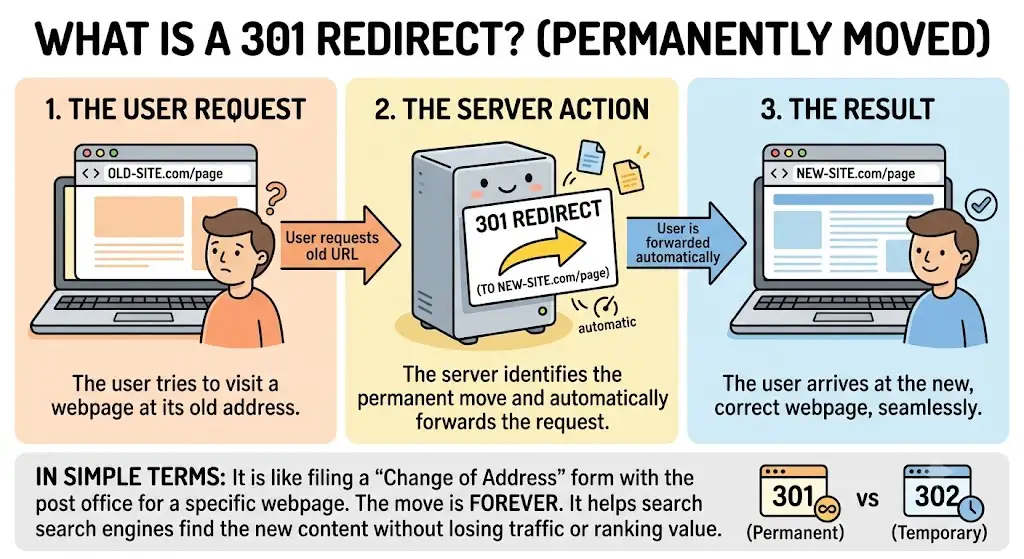
Answer: A 301 redirect permanently redirects one URL to another.
Example:
example.com/old-page → example.com/new-page
It is commonly used when a page’s URL is permanently changed.
10. What is a 404 Error?
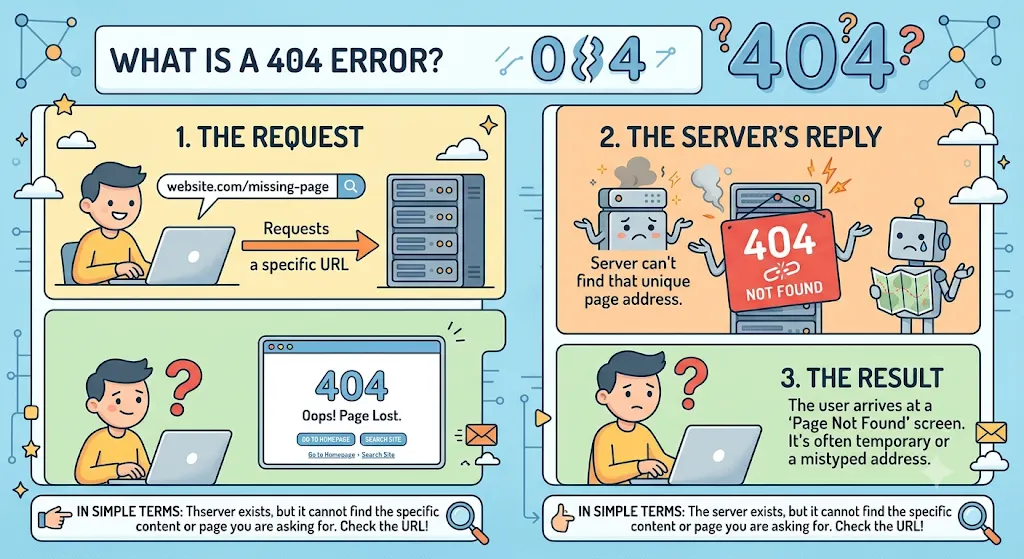
Answer: A 404 error means that the requested webpage could not be found.
For example:
example.com/old-product → 404 Not Found
During an SEO audit, important broken URLs should be investigated and, where appropriate, restored or redirected to a relevant replacement.
11. What is HTTPS?
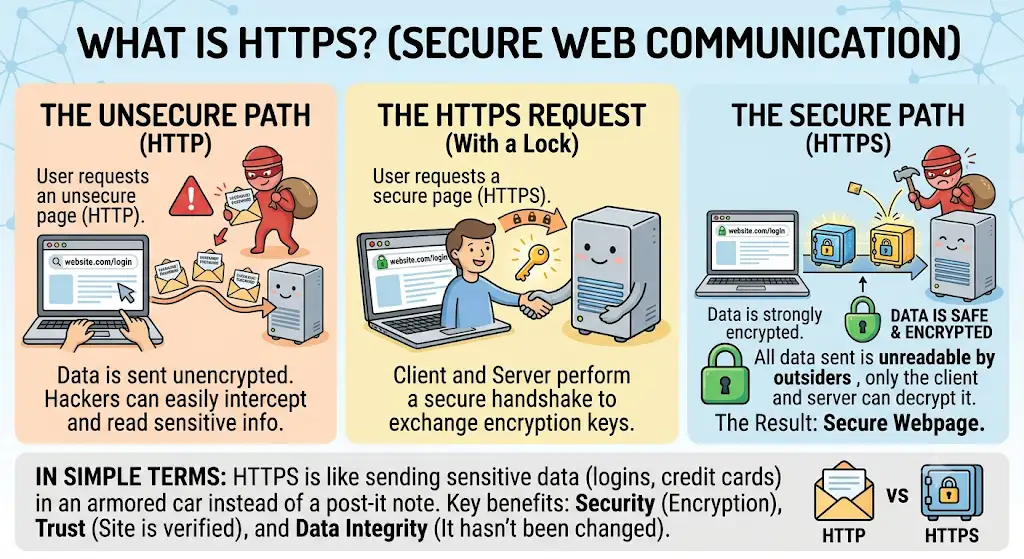
Answer: HTTPS is a secure version of HTTP that encrypts communication between the website and the visitor.
HTTPS helps provide:
- Better security
- User trust
- Protection of data
Google has confirmed HTTPS as a minor ranking signal — its main SEO value comes from the trust and security it provides to users.
12. What are Core Web Vitals?
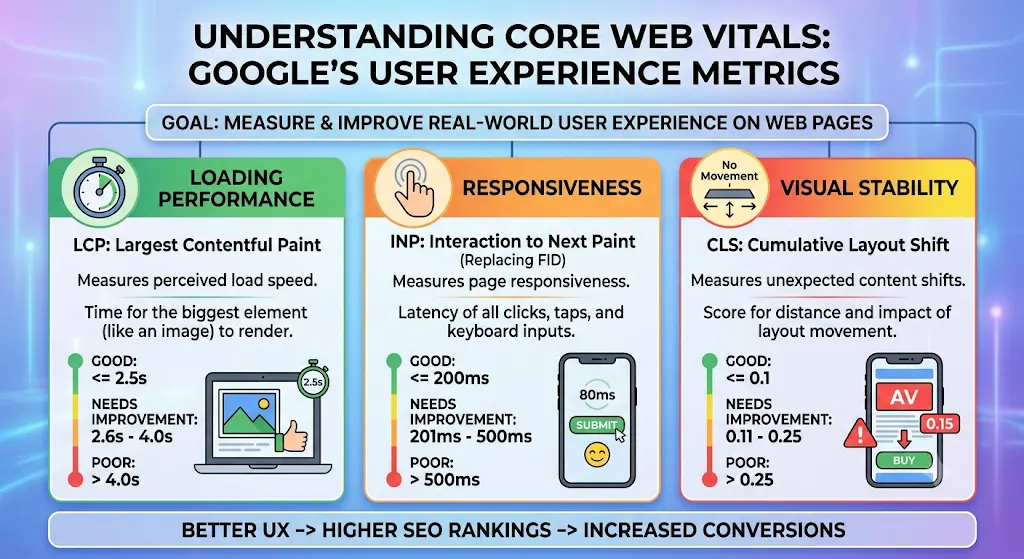
Answer: Core Web Vitals are Google’s metrics for measuring important aspects of webpage experience.
The current Core Web Vitals are:
- LCP (Largest Contentful Paint) – loading performance
- INP (Interaction to Next Paint) – responsiveness
- CLS (Cumulative Layout Shift) – visual stability
13. What is Page Speed?
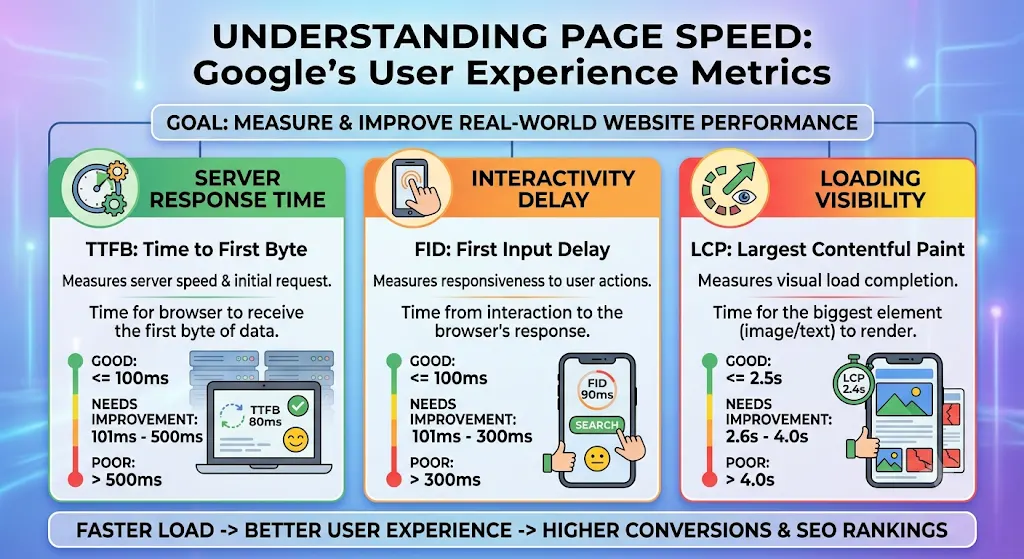
Answer: Page speed refers to how quickly a webpage loads and becomes usable.
A slow website can create a poor user experience and can affect search performance.
Ways to improve speed:
- Compress images
- Reduce unnecessary JavaScript
- Use browser caching
- Optimize CSS
- Use a CDN where appropriate
14. What is Mobile-First Indexing?
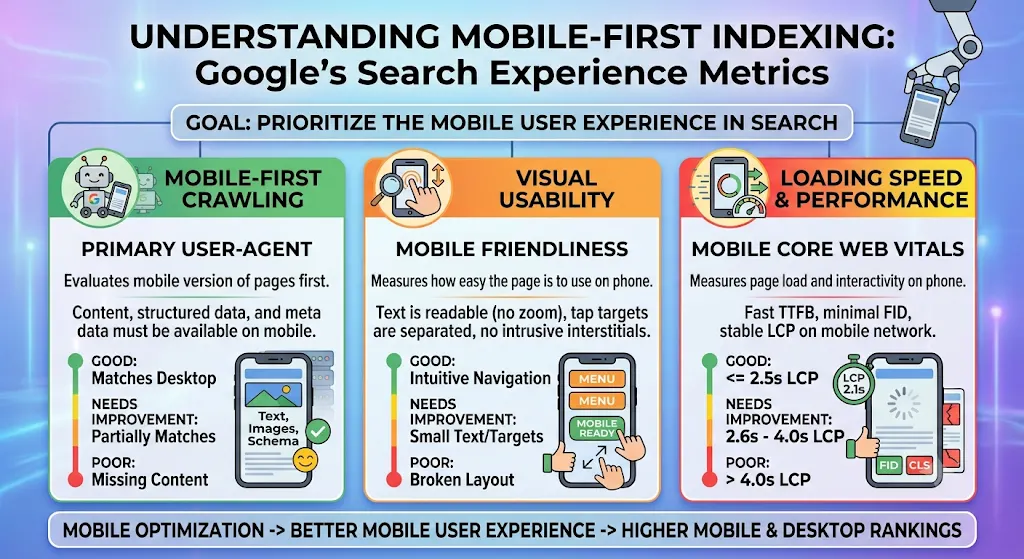
Answer: Mobile-first indexing means Google primarily uses the mobile version of a website’s content for indexing and ranking.
Therefore, your mobile website should contain the important content and SEO elements available on the desktop version.
15. What is Structured Data?
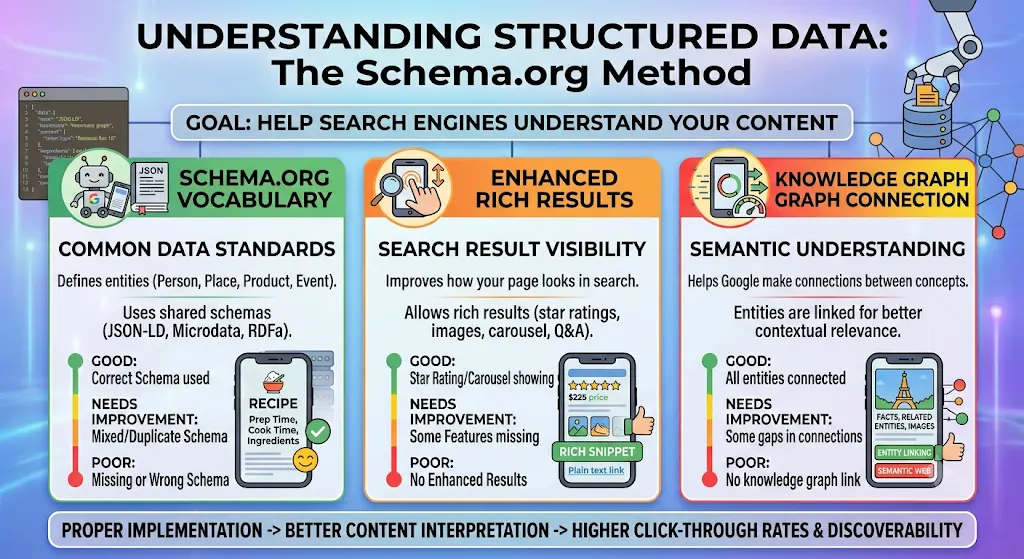
Answer: Structured data is code that helps search engines better understand the content of a webpage.
Common types include:
- Product
- Article
- Event
- Organization
- Breadcrumb
- Local Business
Structured data can make a page eligible for certain rich search results, although it does not guarantee that Google will display them.
16. What is an Hreflang Tag?
Answer: The hreflang attribute helps search engines understand which version of a webpage is intended for a particular language or region.
For example, a website may have separate versions for:
- English – India
- English – USA
- French – France
It is especially useful for international and multilingual websites.
17. What is an Orphan Page?
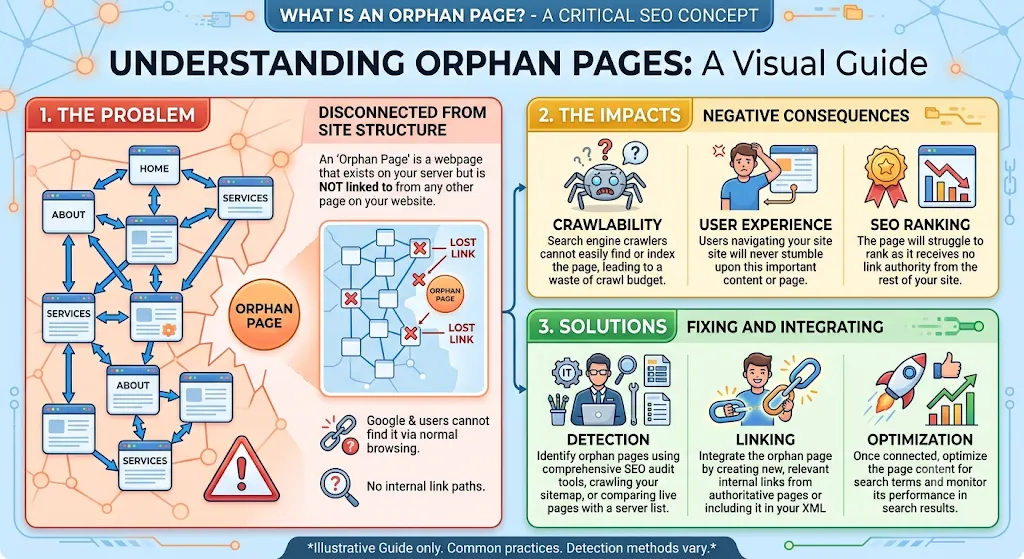
Answer: An orphan page is a webpage that has no internal links pointing to it from other pages on the website.
These pages can be difficult for users and search engines to discover.
Solution: Add relevant internal links to important orphan pages.
18. What is an SEO-Friendly URL?
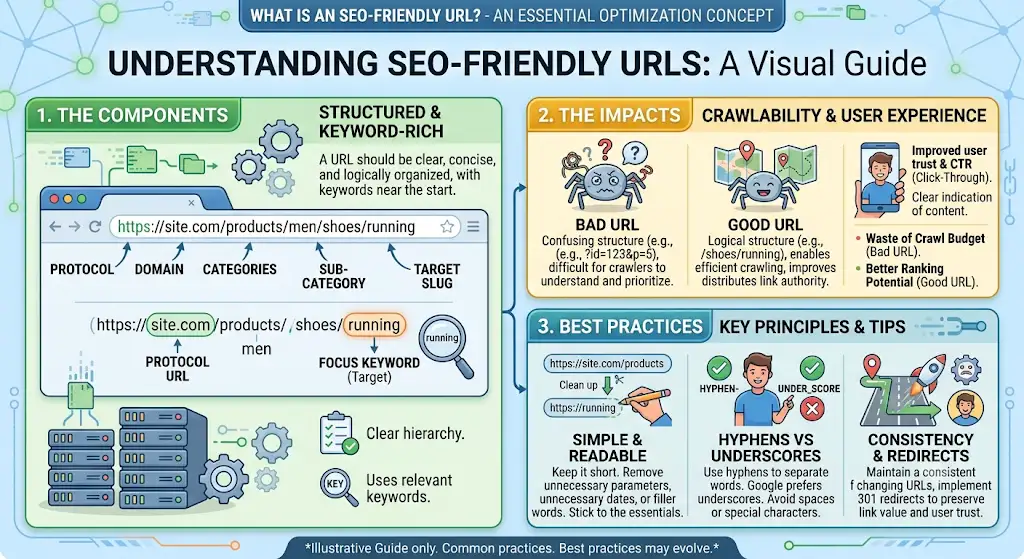
Answer: An SEO-friendly URL is short, descriptive, readable, and relevant to the page content.
Good URL:
example.com/technical-seo-guide
Poor URL:
example.com/page?id=92837
19. What are Internal Links?
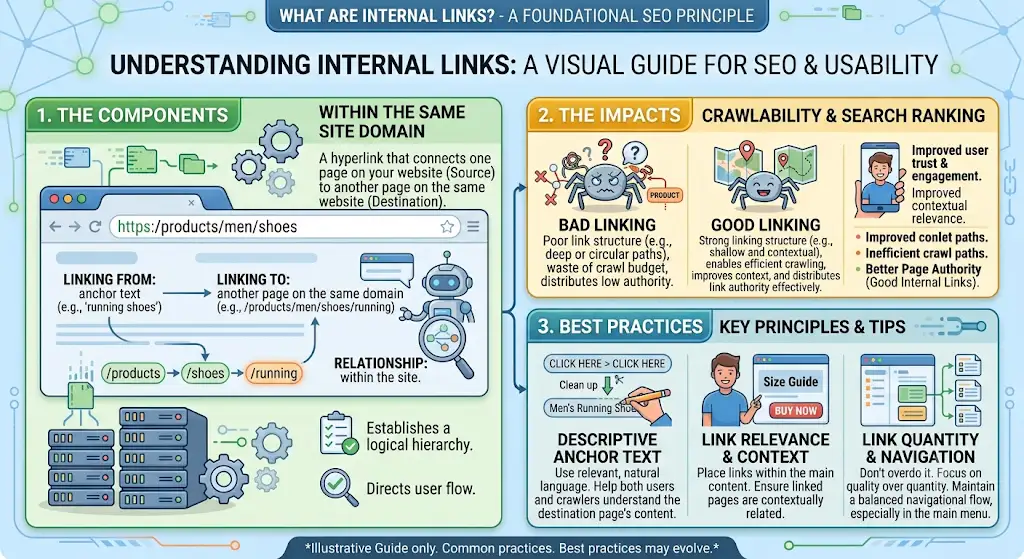
Answer: Internal links connect one webpage to another webpage on the same website.
They help:
- Users navigate the website
- Search engines discover pages
- Establish website structure
- Distribute internal link equity
Example:
A blog about SEO can internally link to a page about Technical SEO Services.
20. Which Tools are Used for Technical SEO?
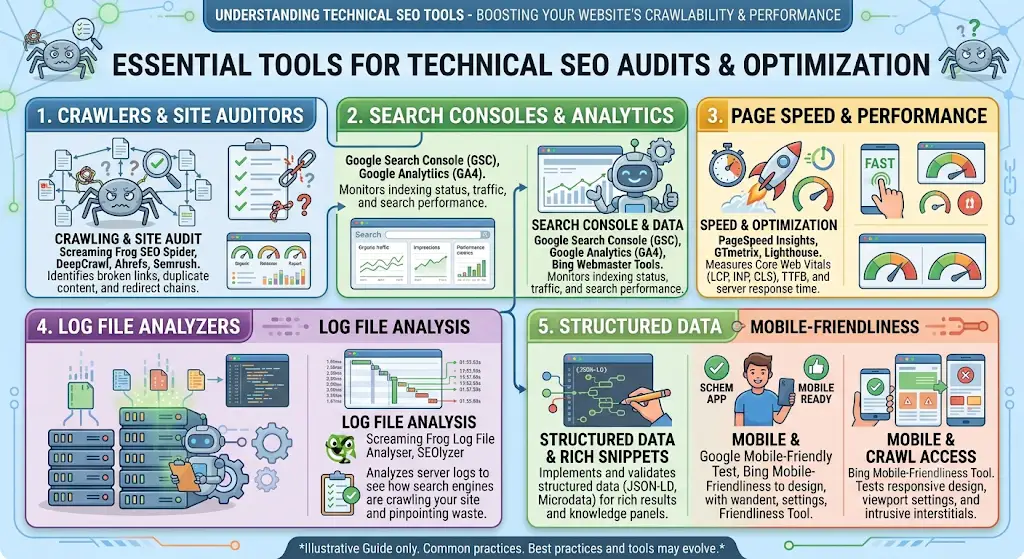
Answer: Some popular Technical SEO tools include:
Tool | Main Use |
Google Search Console | Search performance and indexing |
Google PageSpeed Insights | Page performance |
Screaming Frog | Website crawling and technical audits |
Google Analytics | Traffic and user behavior |
Bing Webmaster Tools | Bing search performance |
Google Rich Results Test | Checking rich-result eligibility |
Bonus Interview Question
How would you perform a Technical SEO Audit?
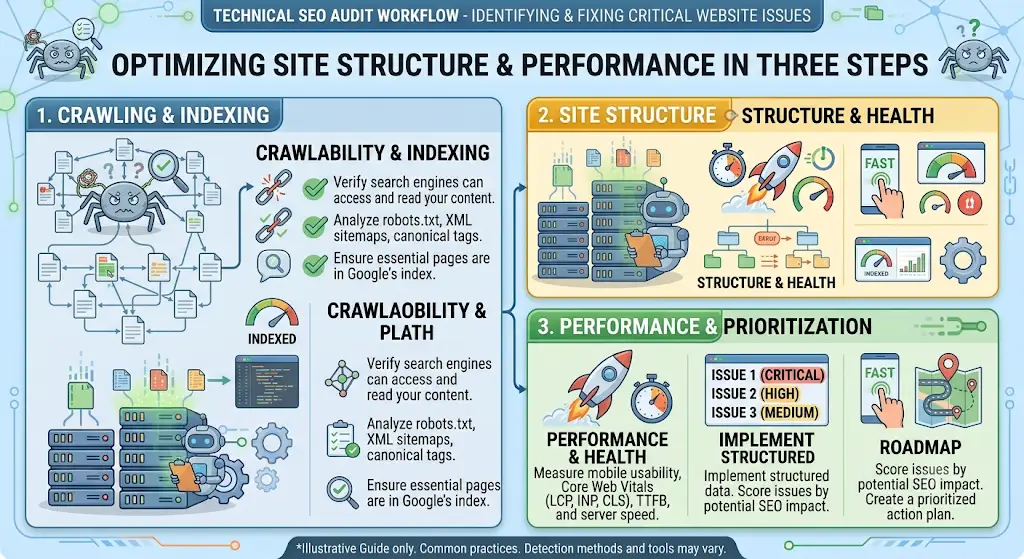
Interview-ready answer:
“First, I would check whether the website is crawlable and indexable. Then I would analyze robots.txt, XML sitemap, canonical tags, redirects, HTTP errors, URL structure, internal linking, mobile usability, Core Web Vitals, structured data, and duplicate-content issues. Finally, I would prioritize the issues based on their SEO impact and create an action plan.”
If you’re thinking about learning SEO Training in Mohali or Chandigarh? Get practical, hands-on training and learn how to actually apply these skills to real projects only at Digital Discovery Institute Mohali.