
In today’s search landscape, good content alone isn’t enough. Websites also need to make clear which pages should be indexed, which URLs represent the preferred version, and how similar content should be handled. This matters most for large websites, eCommerce stores, publishers, and businesses with hundreds or thousands of URLs.
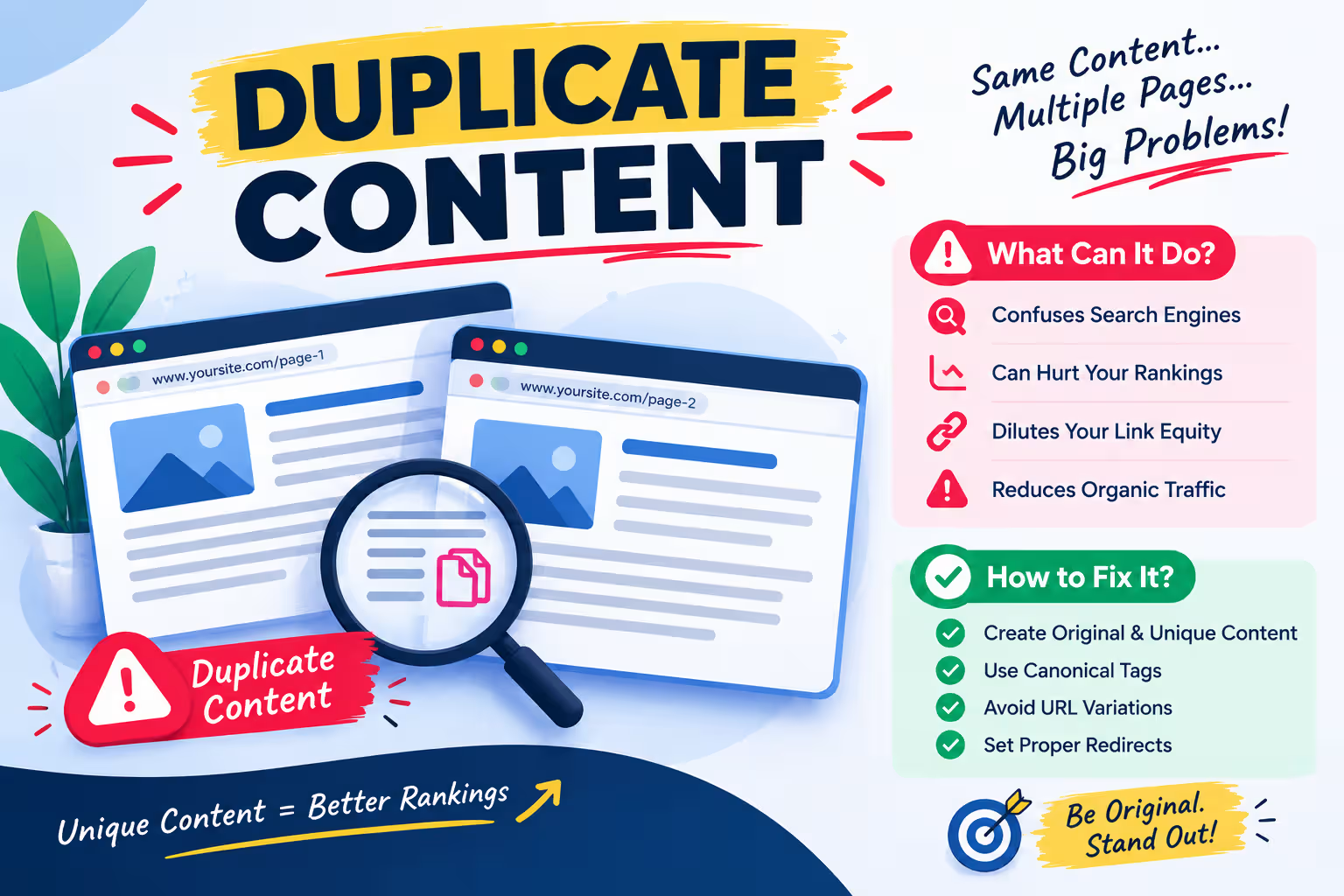
Duplicate content occurs when identical or highly similar information appears across multiple URLs often created through filters, sorting parameters, tracking parameters, product variations, HTTP/HTTPS versions, trailing slashes, or syndicated content. Sometimes it happens accidentally, without a clear content strategy.
While duplicate content doesn’t automatically trigger a Google ranking penalty, uncontrolled duplication causes real problems: search engines struggle to identify the primary version, indexing signals get fragmented, internal links get split across versions, and crawl budget gets wasted on low-value URLs.
Canonicalization issue is a key to fix because canonical tag tells search engines which version should be treated as pillar content.
This matters even more as search moves toward AI-powered experiences. AI models need to identify reliable, distinctive information rather than treating every similar page the same.
Search engine and AI answer engines value websites with clear authoritative sources and real information. And having duplicate content in a website or more than one similar page will not be counted as a valuable source. And it’s also because this makes search engines confusing search engines.
Websites with clear authoritative sources and real information value are better positioned to be understood and surfaced across both traditional and AI-driven search.
Trimmed roughly 30% cut repetition and combined a few sentences. Want it even tighter, or should I convert it into bullet points instead?
Note: If you are a beginner or want to learn google ads and SEO step by step then here you can explore courses provided by Digital Discovery Institute, Mohali.
What Is Duplicate Content?
Duplicate content refers to substantially identical or highly similar content that appears on multiple URLs within the same website or across different websites.
For example, imagine an eCommerce website has the following URLs:
- /black-shoes
- /black-shoes?size=8
- /black-shoes?size=9
- /black-shoes?sort=price
- /black-shoes?utm_source=facebook
If these URLs display essentially the same product information, search engines may encounter several URLs containing almost identical content.
Duplicate content can also occur outside eCommerce websites. Common examples include:
- HTTP and HTTPS versions of a page
- WWW and non-WWW versions
- URL versions with and without trailing slashes
- Printer-friendly pages
- Mobile-specific URL versions
- Product variations
- Category and filtered pages
- URL parameters
- Pagination variations
- Repeated manufacturer descriptions
- Syndicated articles
- Similar location pages
- Duplicate blog posts
- Multiple URLs pointing to the same resource
- Old and new versions of the same page
The important point is that duplicate content is not limited to copying text word-for-word. Pages can also become problematic when they provide almost the same information but exist at multiple URLs without a clear purpose or preferred version.
Is Duplicate Content a Google Penalty?
One of the biggest misconceptions in SEO is that every instance of duplicate content results in a Google penalty.
That is not generally how duplicate content works.
Search engines are designed to identify similar information and select the version they consider most appropriate for search results. Therefore, having some duplicate or repeated content does not automatically mean that a website will receive a manual penalty or lose all rankings.
However, uncontrolled duplication can still create significant SEO problems.
When multiple URLs contain similar information, search engines may need to determine:
- Which URL should be indexed?
- Which URL should appear in search results?
- Which page represents the original or preferred version?
- Which URL should receive ranking signals?
- Which page should be crawled more frequently?
- Whether multiple pages actually provide different value?
This is why duplicate content should not simply be ignored.
The goal is not to eliminate every repeated sentence from a website. The goal is to create a clear, logical, and useful URL structure where every indexable page has a meaningful reason to exist.
How Does Duplicate Content Affect Website Ranking?
Duplicate content can influence SEO in several indirect ways.
1. Ranking Signals Can Become Fragmented
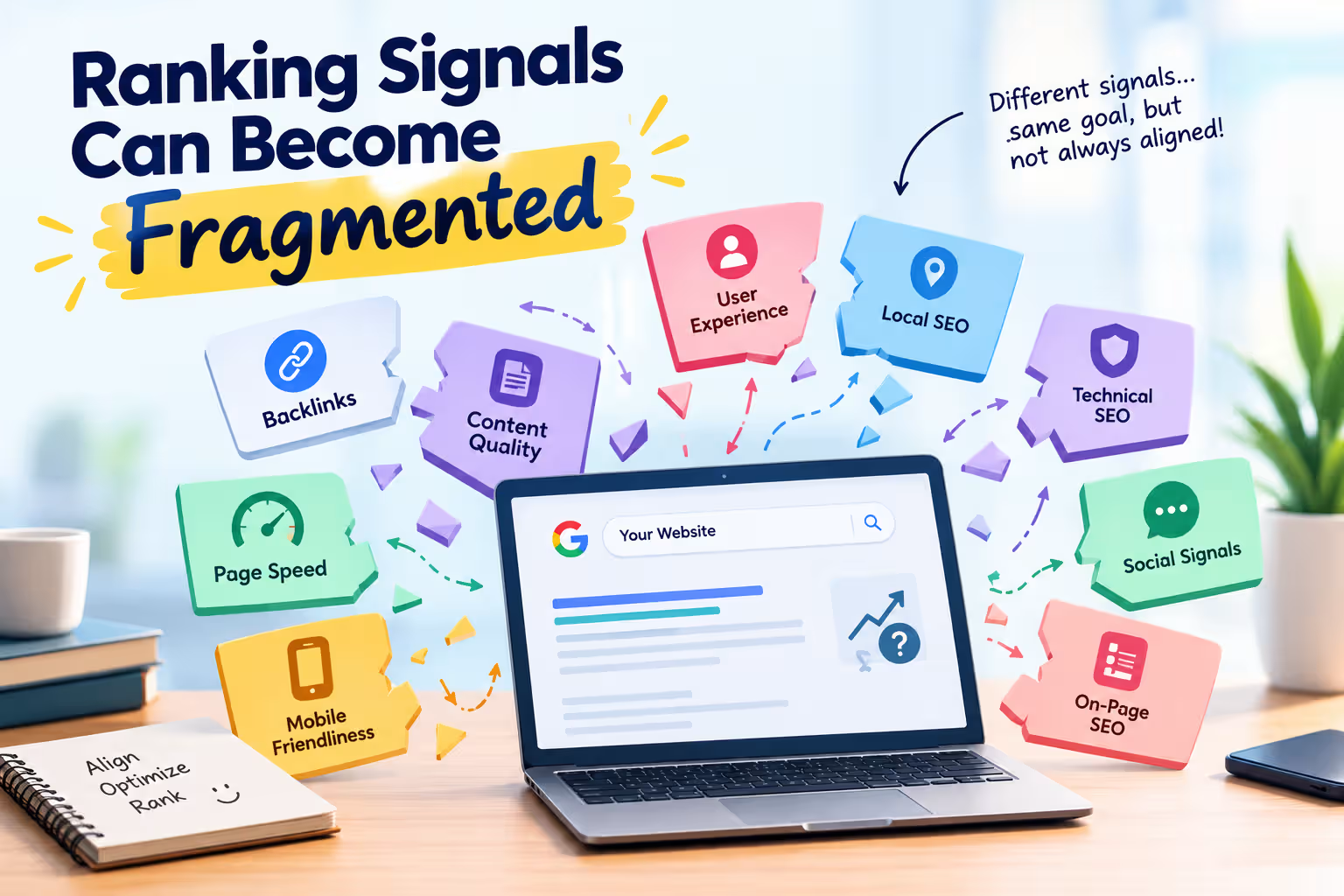
Suppose three URLs contain nearly identical content:
- /product/shoes
- /products/shoes
- /shop/shoes
Different websites or internal pages may link to different versions.
Instead of having one clearly preferred URL receiving all relevant signals, signals may become distributed across multiple URLs.
Canonicalisation and redirects can help consolidate these signals where appropriate.
2. Crawl Resources Can Be Wasted
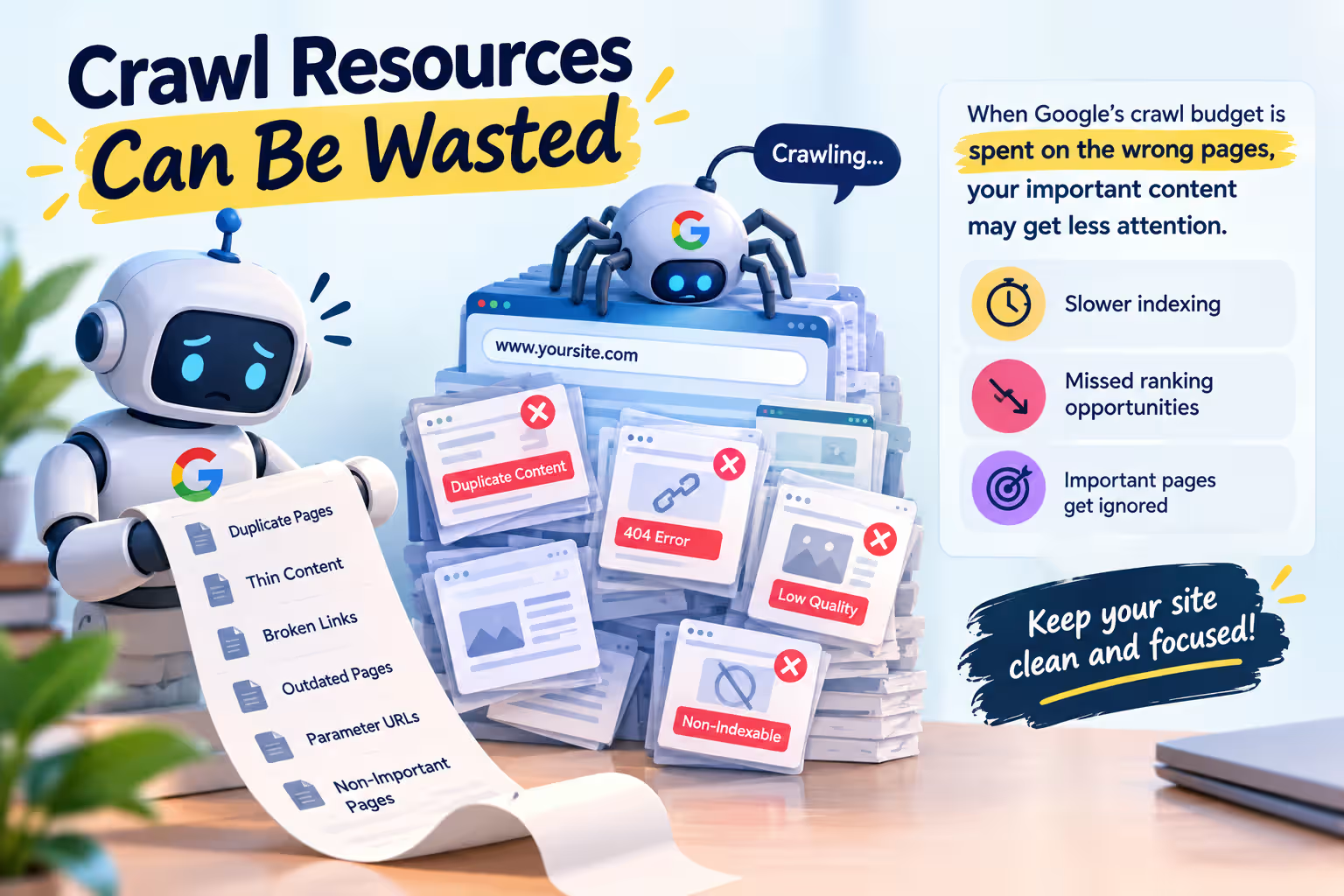
Search engines have limited resources for crawling websites.
A website with thousands of unnecessary URLs can create a large crawl surface. If search engine crawlers repeatedly encounter duplicate parameter combinations, filtered pages, session URLs, and other low-value variations, they may spend resources crawling URLs that do not contribute additional value.
This is particularly important for large eCommerce websites. Here you can learn more about crawling, indexing and ranking processes.
For example, an online store with:
- 5,000 products
- 20 categories
- 10 filters
- 5 sorting options
- Multiple tracking parameters
can potentially generate a very large number of URL combinations.
Not every generated URL needs to become an indexable search result.
3. Search Engines May Select a Different URL
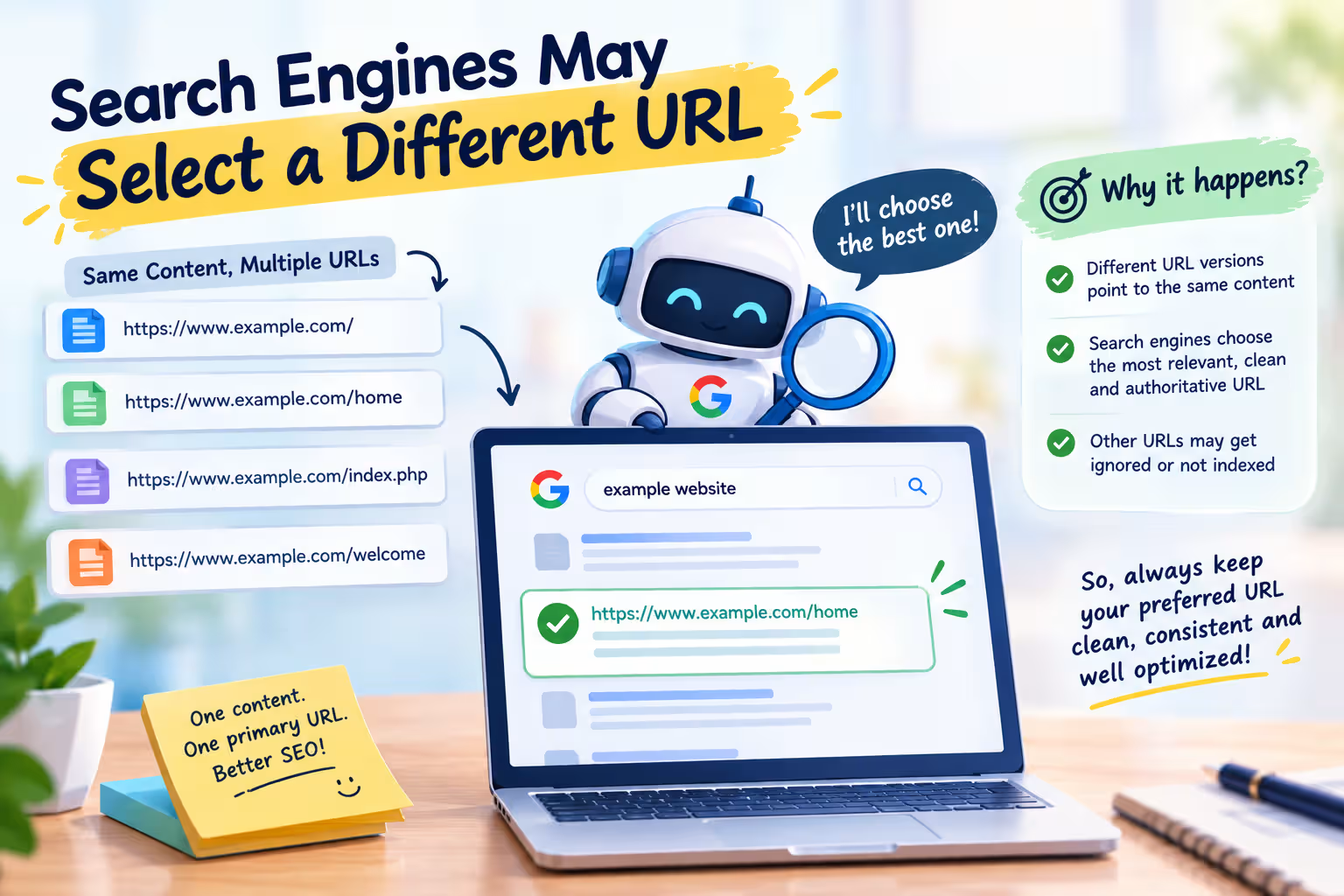
If a website does not clearly communicate its preferred URL, Google may select what it considers the canonical version.
This can sometimes produce unexpected results.
For example, you may want:
example.com/product/red-shoes
to appear in Google, but Google may select:
example.com/product/red-shoes?color=red
as the canonical representation.
This is why canonical signals should be consistent across the website.
4. Internal Linking Signals Can Become Confusing
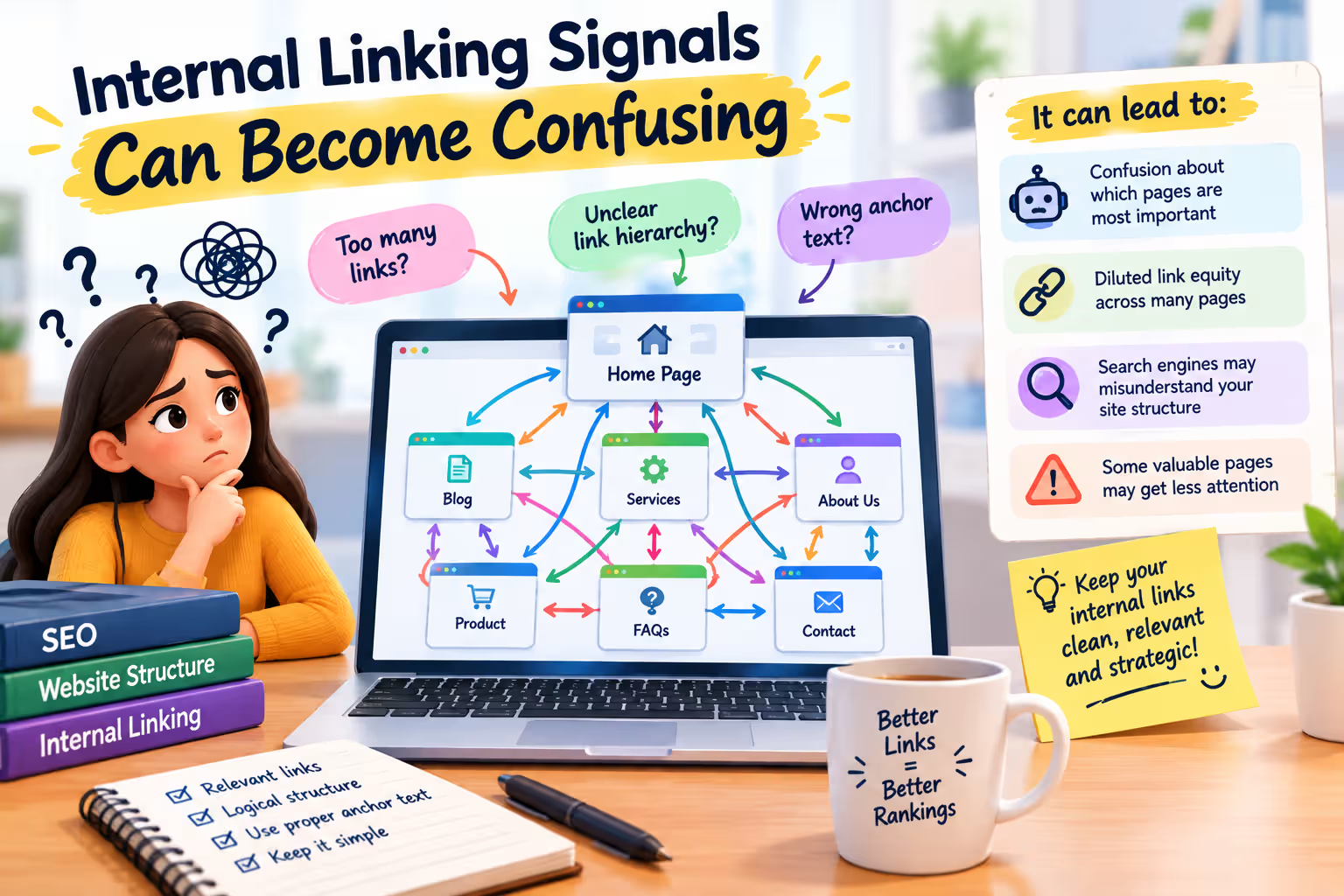
Internal links help search engines understand website structure and page importance.
If internal links repeatedly point to different versions of essentially the same page, the site’s URL signals become less consistent.
A better approach is to select the preferred URL and use it consistently throughout:
- Navigation
- Breadcrumbs
- Product links
- Blog links
- Footer links
- XML sitemap
- Internal contextual links
What Is Canonicalisation in SEO?
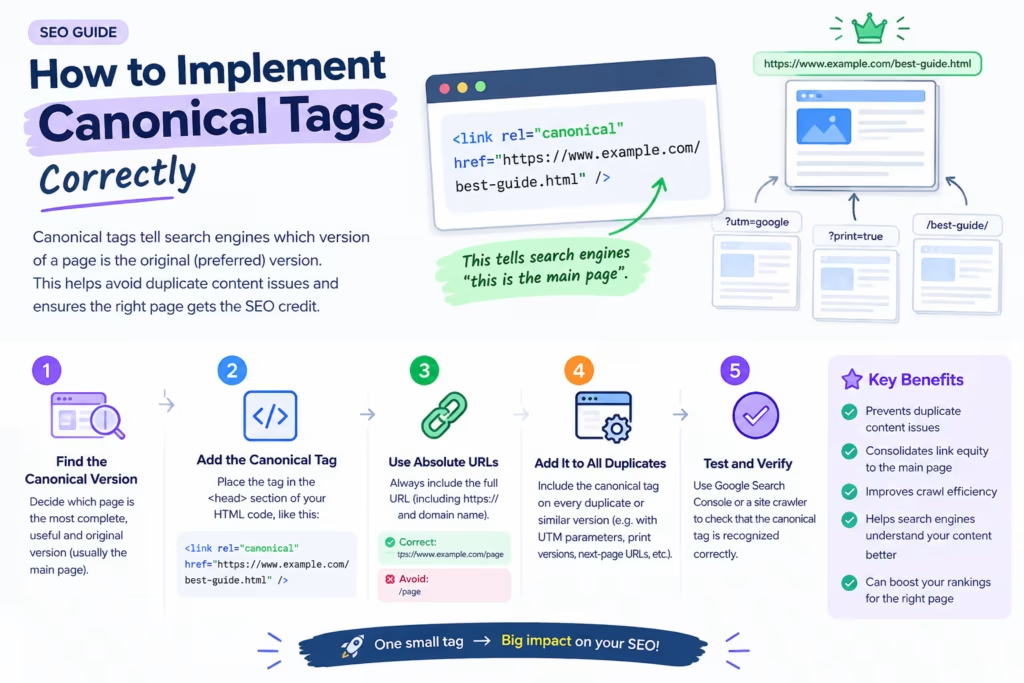
Canonicalisation is the process of selecting one preferred URL when multiple URLs contain identical or substantially similar content.
The preferred URL is called the canonical URL.
For example, suppose these URLs show the same product:
https://example.com/shoes
https://example.com/shoes?color=black
https://example.com/shoes?sort=popular
If the clean URL is the main version, the site can indicate:
https://example.com/shoes
as the canonical URL.
A canonical tag is generally placed inside the <head> section of a webpage.
Example:
<link rel=”canonical” href=”https://example.com/shoes”>
This provides a strong signal about the preferred URL.
However, a canonical tag should not be treated as a command that guarantees Google will use that URL. Search engines consider multiple signals before deciding which URL they consider canonical.
How Does a Canonical Tag Work?
A canonical tag tells search engines:
“Among these similar URLs, this is the URL we prefer to represent the content.”
For example:
Page A: example.com/product/blue-shirt
Page B: example.com/product/blue-shirt?utm_source=instagram
If both pages display the same content, Page B can reference Page A as the canonical version.
This helps search engines understand that the parameterized URL is not intended to be the primary version.
A good canonical implementation should use an absolute URL and should point to a valid, preferred page.
How to Implement Canonical Tags Correctly
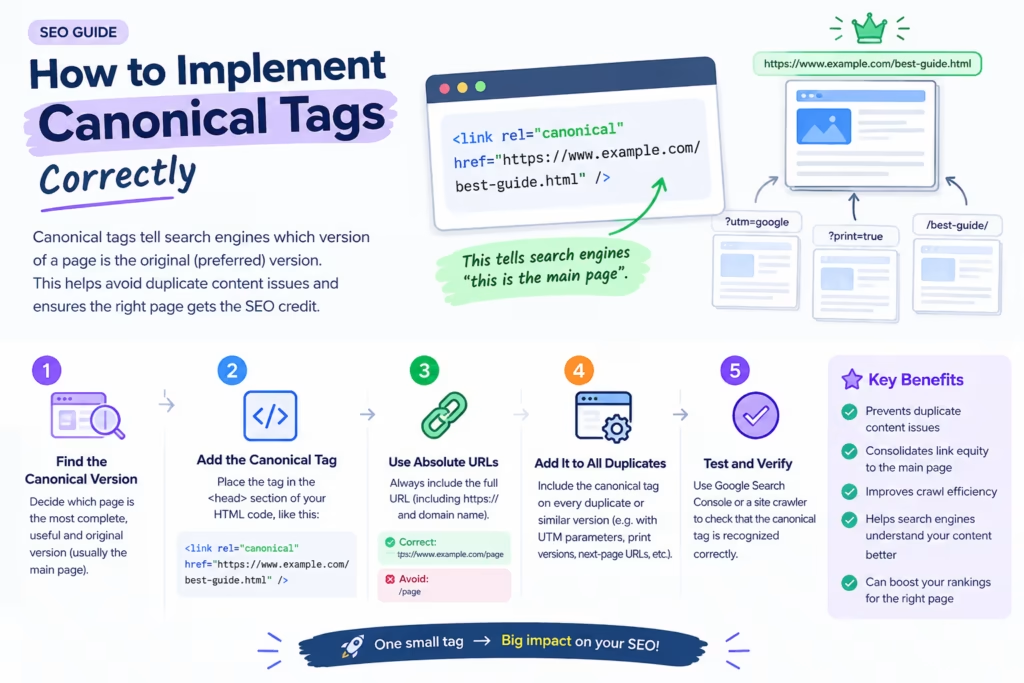
Canonical tags should be implemented carefully because incorrect canonicalisation can create indexing problems.
1. Use the Preferred URL
The canonical should point to the URL you actually want search engines to associate with the content.
2. Use Consistent URL Formatting
Maintain consistency regarding:
- HTTPS
- WWW/non-WWW
- Trailing slashes
- Uppercase/lowercase URLs
- URL parameters
3. Avoid Canonical Chains
Ideally, Page A → Page B is better than Page A → Page B → Page C.
If Page C is the true preferred URL, pages should generally point directly toward Page C.
4. Avoid Canonicalising Unrelated Pages
A canonical tag should not be used simply to force two unrelated pages together.
For example, a page about laptops should not canonicalize a page about mobile phones just because the mobile page has stronger rankings.
5. Check Canonical URLs Regularly
Technical changes, migrations, CMS updates, and development work can accidentally modify canonical tags.
Regular SEO audits should therefore check:
- Missing canonicals
- Incorrect canonicals
- Canonicals pointing to redirects
- Canonicals pointing to 404 pages
- Canonical conflicts
- Incorrect domain versions
- Canonical inconsistencies
How Are 301 Redirects Different From Canonical Tags?
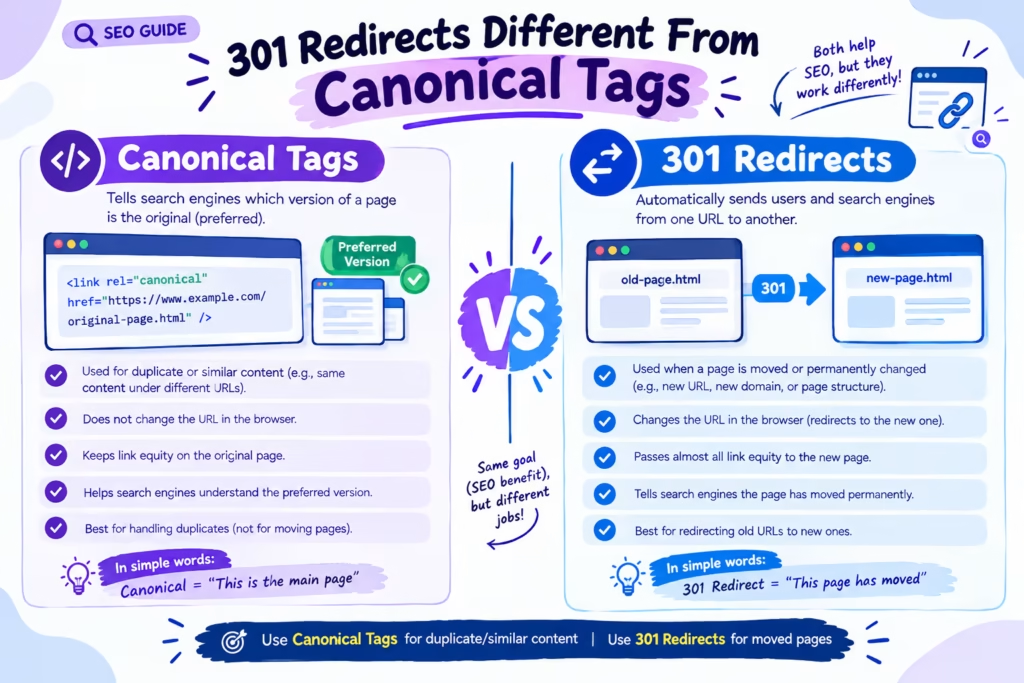
A 301 redirect and a canonical tag both help manage URL duplication, but they serve different purposes.
301 Redirect
A 301 redirect tells browsers and search engines that the old URL has permanently moved to another URL.
For example: old-page → new-page
Users attempting to access the old URL are automatically sent to the new URL.
A redirect is usually appropriate when the old page should no longer be accessible as a separate page.
Common situations for 301 redirects:
- Website migration
- URL restructuring
- Deleted pages with a suitable replacement
- HTTP to HTTPS migration
- Old product URL to new product URL
- Duplicate URL consolidation
Canonical Tag
A canonical tag is more suitable when multiple URLs need to remain accessible but one URL should be treated as the preferred version.
For example, a filtered product URL may still need to work for users, but the main product/category URL can be identified as the preferred version.
Simple difference:
- 301 redirect: “Go to this other URL.”
- Canonical tag: “This URL is the preferred version among similar URLs.”
Choosing between them depends on the purpose of the URLs and whether the alternate URL needs to remain accessible.
How to Find Duplicate Content on a Website
Before fixing duplicate content, you need to identify where it exists. A practical SEO audit can include the following checks.
1. Check Google Search Results
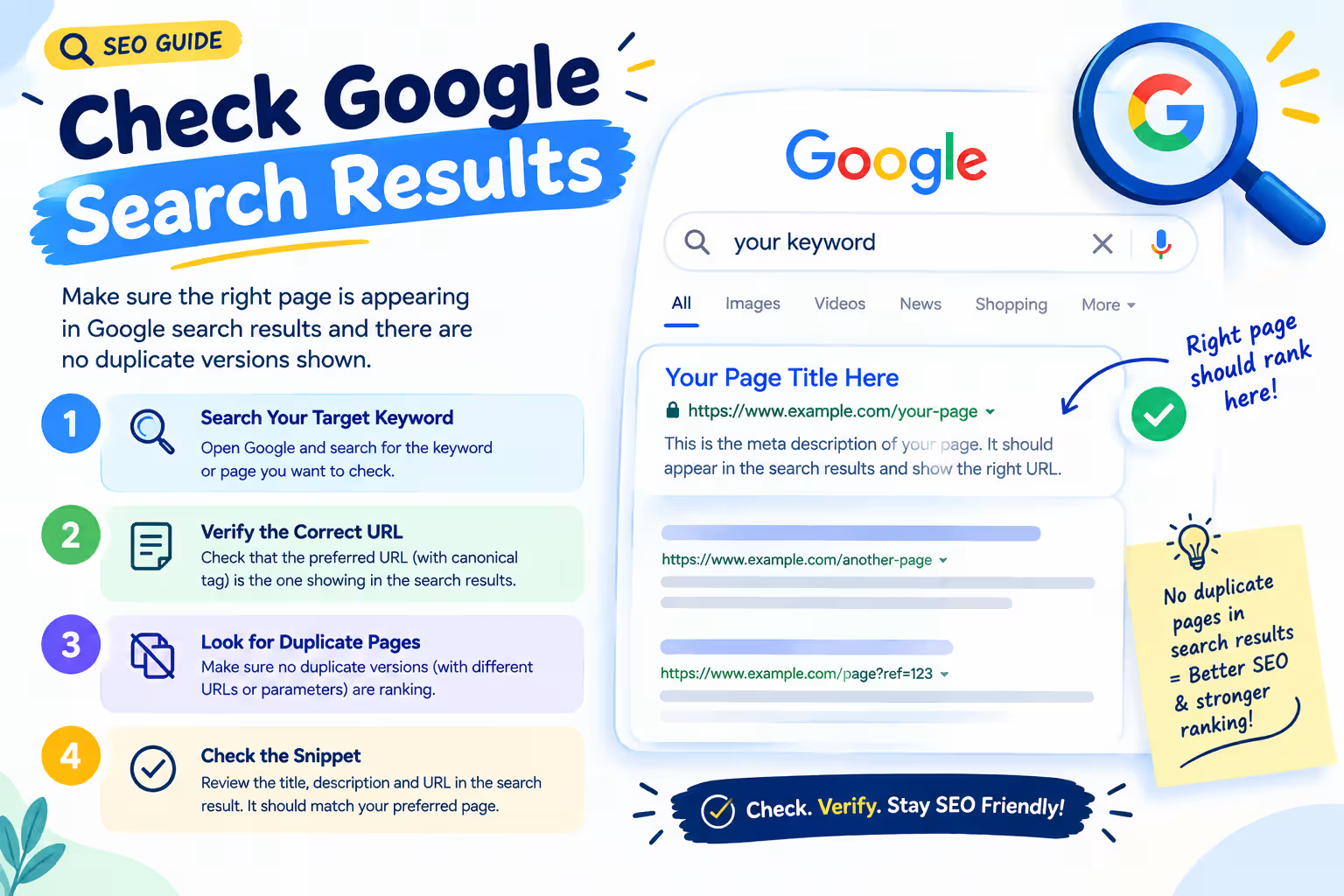
Search for distinctive sentences from important pages using quotation marks, e.g. “your exact sentence here”. This can help identify whether the same text appears elsewhere.
2. Use Google Search Console
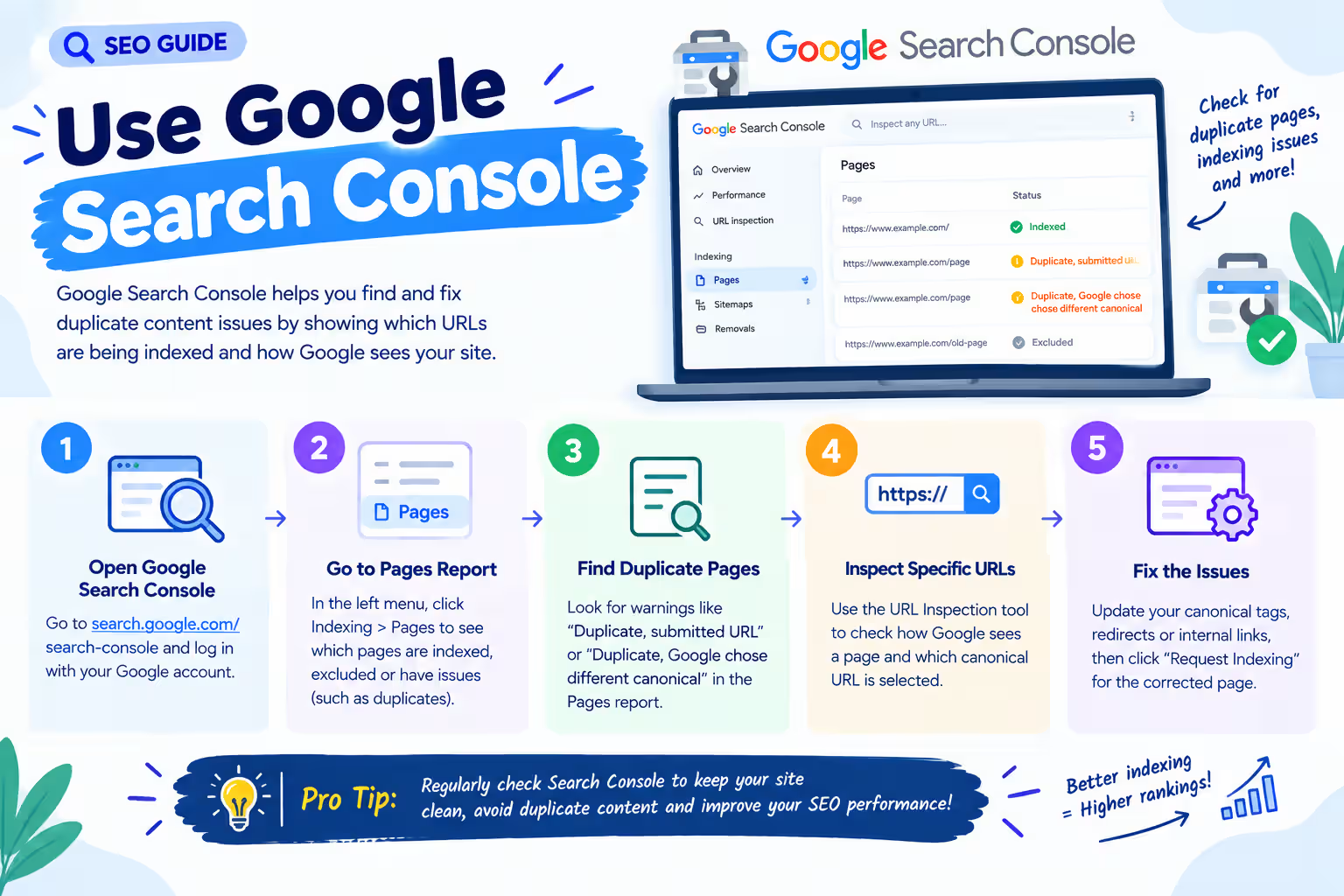
Google Search Console can provide valuable information about indexing and URL selection. You can investigate:
- Indexed URLs
- Excluded URLs
- Duplicate URLs
- Alternate pages
- Canonical-related indexing issues
- Page indexing patterns
3. Crawl the Website
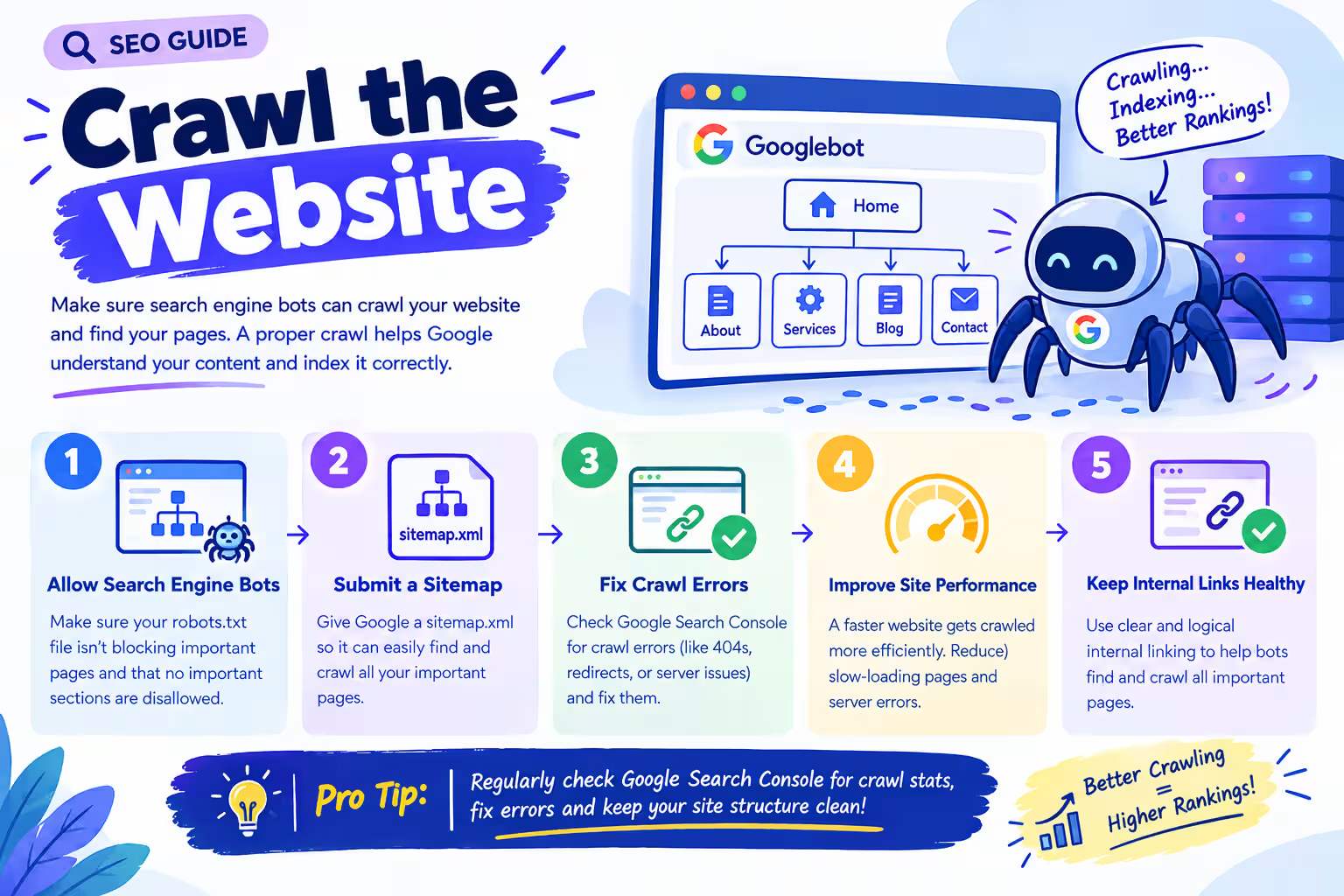
SEO crawling tools can help identify:
- Duplicate title tags
- Duplicate meta descriptions
- Duplicate headings
- Similar pages
- Multiple URLs
- Redirect chains
- Canonical tags
- Indexability issues
For larger websites, crawling is particularly useful because manually checking every page is impractical.
4. Check URL Parameters
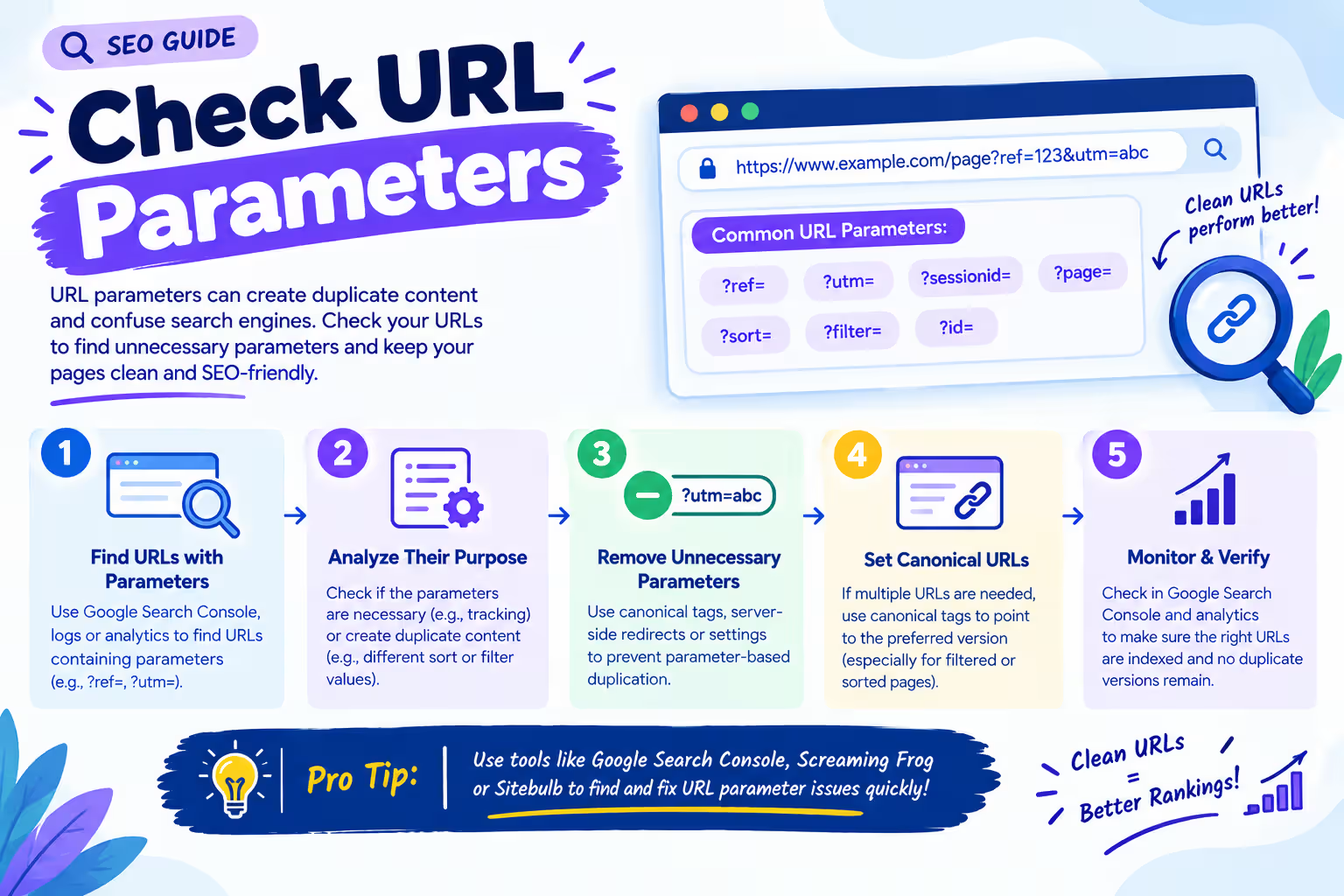
Look for URLs containing parameters such as ?sort=, ?filter=, ?color=, ?size=, ?utm_, ?session=. Determine whether these URLs provide unique search value or simply reproduce existing content.
5. Compare Product Descriptions
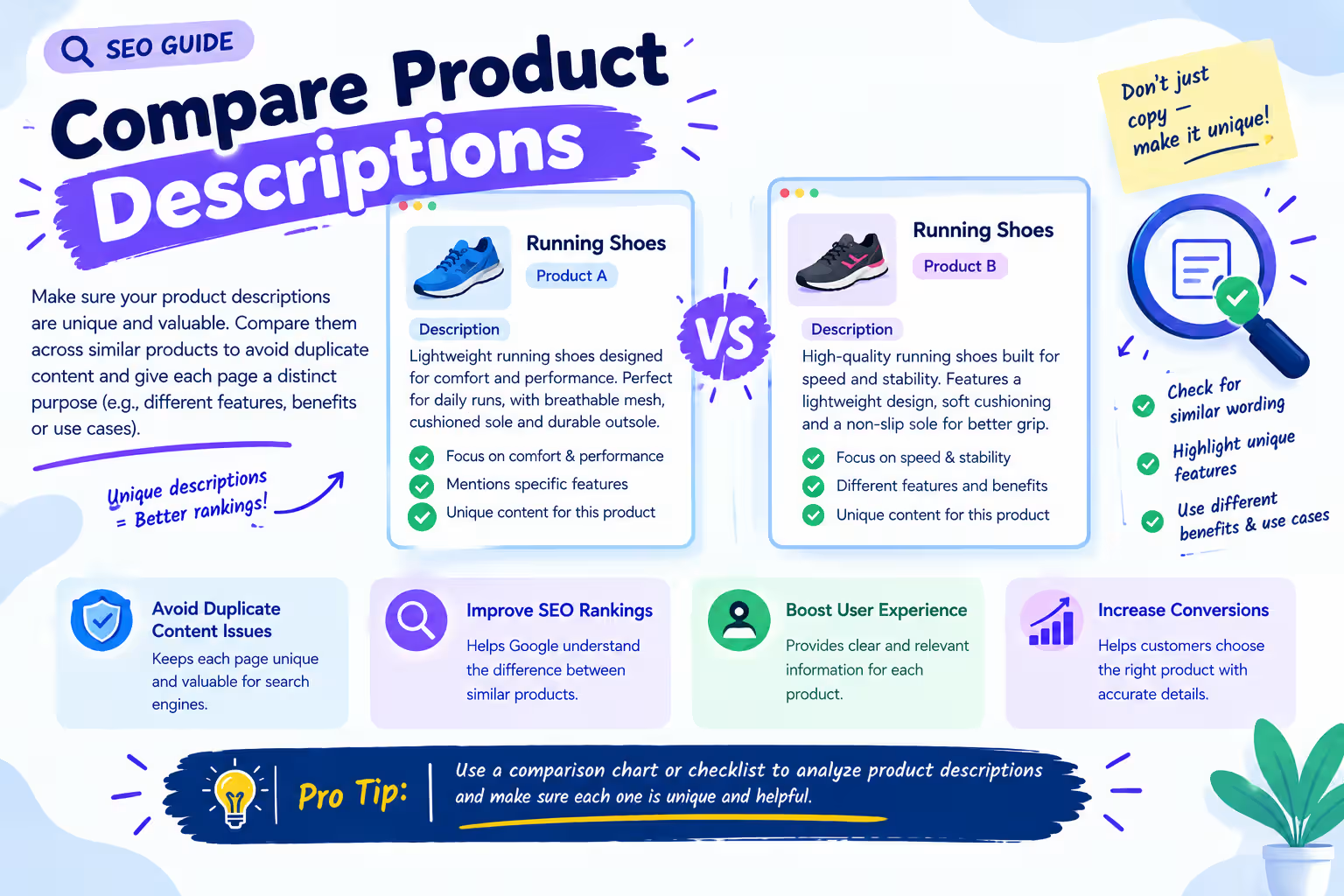
eCommerce websites frequently use manufacturer provided descriptions. If hundreds of websites publish exactly the same manufacturer description, the content provides little differentiation.
Instead, retailers can improve the page by adding original information such as:
- Product benefits
- Detailed specifications
- Usage guidance
- Comparison information
- Customer questions
- Expert recommendations
- Unique images
- FAQs
- Shipping information
- Warranty details
How to Fix Duplicate Content
There is no single solution for every duplicate-content problem. The correct solution depends on why the duplication exists.
Solution 1: Use 301 Redirects
Use a 301 redirect when an old or duplicate URL should permanently lead users to another URL.
example.com/old-product
↓
301 Redirect
↓
example.com/new-product
This is useful when the old URL has no reason to remain independently accessible.
Solution 2: Add Canonical Tags
If multiple URLs must remain accessible but contain similar content, use canonicalisation where appropriate.
<link rel=”canonical” href=”https://example.com/preferred-page”>
Make sure the canonical URL is accessible, indexable, and genuinely represents the content.
Solution 3: Improve Unique Content
Sometimes the best solution is not technical. If two pages target different search intents, make their content genuinely different.
For example, “Running Shoes for Beginners” and “Professional Marathon Running Shoes” can both discuss running shoes, but their audience, search intent, recommendations, features, examples, and FAQs should be different.
How Does Information Gain Help Prevent Duplicate Content?
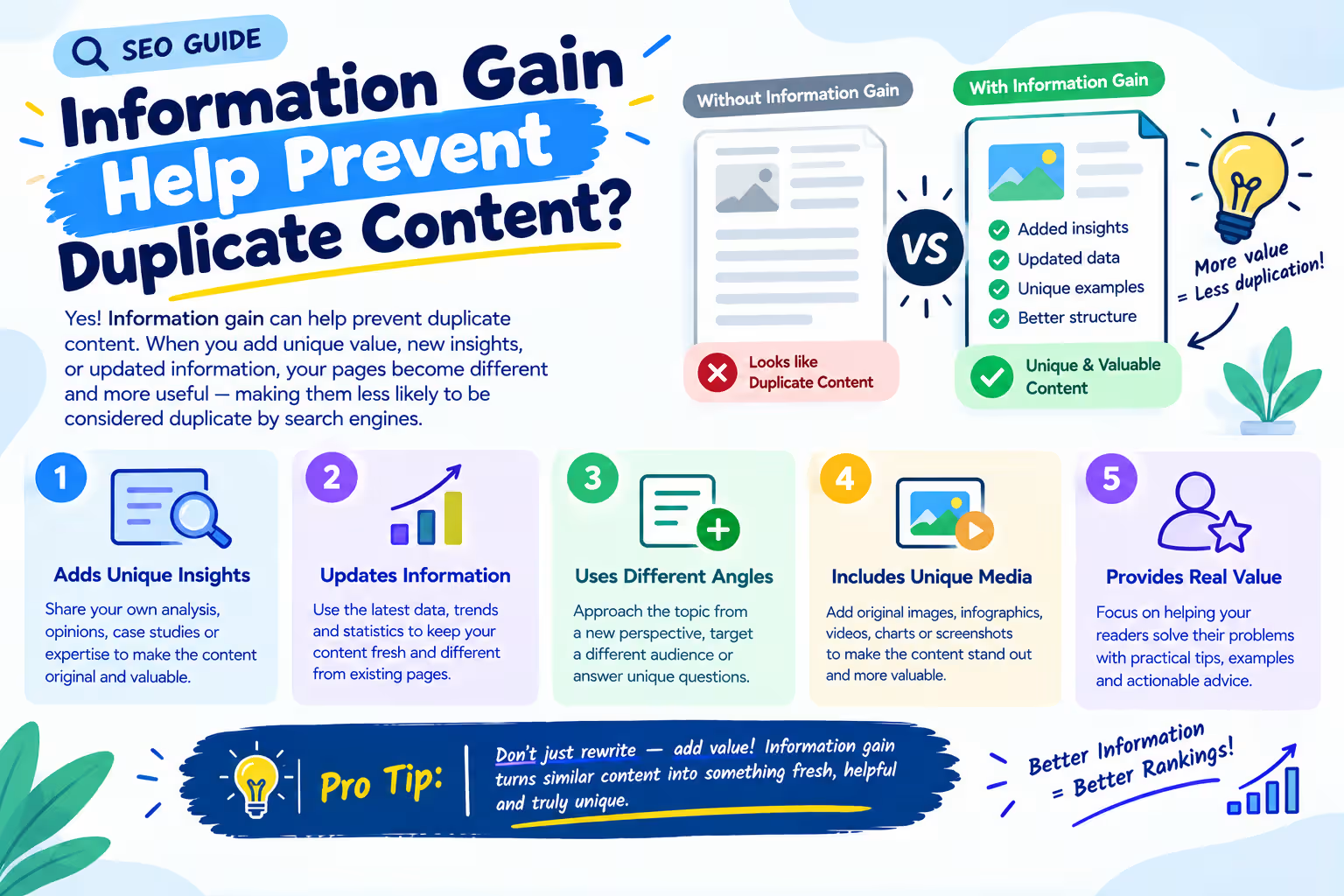
Information gain is increasingly important in modern content strategy.
Instead of asking, “How can I make another article about this keyword?” ask, “What useful information can my page provide that users cannot easily get from the other results?”
This changes the content strategy from keyword repetition to meaningful differentiation.
For example, imagine ten websites have articles about “Best Office Chairs.” If every article contains the same basic information, another generic list may add very little value.
A stronger article could include:
- Chair recommendations by body type
- Office size considerations
- Long-working-hour comfort factors
- Adjustable feature comparisons
- Maintenance advice
- Buyer mistakes
- Setup guidance
- Real-world use cases
- Decision-making framework
This creates additional information value rather than simply repeating existing information.
How to Avoid Duplicate Content in eCommerce website
eCommerce websites face some of the biggest duplicate-content challenges because products can appear through categories, filters, variations, search pages, and sorting URLs.
Product Variations
Suppose a store sells a T-shirt in red, blue, green, and black. If every variation generates a separate URL with nearly identical content, the website should determine whether those variations deserve independent search visibility.
If they target different search demand, unique content may be useful. If they are simply technical variations, canonicalisation or another URL management strategy may be more appropriate.
Category Filters
Filters can create URLs such as /shoes, /shoes?brand=nike, /shoes?size=9, /shoes?color=black.
Not every filtered combination needs to be indexed. The SEO strategy should identify which combinations have genuine search demand and provide useful landing-page content.
How to Manage Duplicate Blog Content
Blogs can also develop duplication over time. For example, an SEO team may publish “What Is Technical SEO?”, “Technical SEO Guide,” “Complete Technical SEO Guide,” “Technical SEO Basics,” and “Beginner’s Guide to Technical SEO.”
If all these pages explain almost the same concepts, they may compete with each other.
A better strategy can be to:
- Identify overlapping pages.
- Compare their traffic and backlinks.
- Determine the strongest URL.
- Merge overlapping content where appropriate.
- Redirect obsolete pages.
- Improve the surviving page.
- Update internal links.
- Review the canonical.
- Remove unnecessary duplicate URLs from the sitemap.
This process is often called content consolidation.
How Does Duplicate Content Affect AI Search Visibility?
Search is increasingly becoming an ecosystem where users can discover information through traditional search results as well as AI-generated answers and summaries.
AI systems need to identify useful and trustworthy information from large amounts of content. When multiple pages repeat essentially the same information, repetition alone does not necessarily provide additional value.
This makes differentiation increasingly important. A website can strengthen its content by providing:
- Original explanations
- First-hand insights
- Unique examples
- Original research
- Data
- Expert perspectives
- Clear comparisons
- Specific use cases
- Helpful FAQs
- Practical implementation steps
The objective is not to “write for AI” by inserting artificial phrases. The objective is to create content that is genuinely useful and easy for search systems to understand.
How Can Websites Become a Strong Source of Truth?
A strong source of truth is a page that clearly communicates authoritative information about a particular subject.
For example, a company’s official page about its own product should ideally contain accurate and comprehensive information about:
- Product name
- Features
- Specifications
- Pricing where applicable
- Availability
- Usage
- Benefits
- Support information
- Frequently asked questions
Other pages can link back to this primary resource. A clear information architecture helps search engines understand which pages are primary and which pages are supporting resources.
How to Create an SEO-Friendly Canonicalisation Strategy
A strong canonicalisation strategy should begin with URL architecture rather than adding canonical tags after problems appear.
Step 1: Map Important URLs – Create a list of main pages, category pages, product pages, blog pages, filter URLs, parameter URLs, old URLs, and redirected URLs.
Step 2: Identify Duplicate Groups – Group URLs that represent the same or substantially similar content.
Step 3: Select the Preferred URL -Choose the URL that should represent each group.
Step 4: Choose the Correct Technical Solution -Depending on the situation, use a 301 redirect, canonical tag, no index, URL parameter handling, content consolidation, unique content, or better internal linking.
Step 5: Update Internal Links – Make internal links consistently point toward the preferred URL.
Step 6: Update XML Sitemap -Include preferred, indexable URLs rather than unnecessary duplicate versions.
Step 7: Monitor Search Console -After implementation, monitor indexing and URL selection to identify unexpected changes.
Duplicate Content Audit Checklist
URL Checks
- [ ] HTTP and HTTPS versions checked
- [ ] WWW and non-WWW versions checked
- [ ] Trailing slash consistency checked
- [ ] Uppercase/lowercase URL issues checked
- [ ] URL parameters reviewed
- [ ] Filter URLs reviewed
- [ ] Sorting URLs reviewed
- [ ] Duplicate product URLs identified
Canonical Checks
- [ ] Canonical tag present
- [ ] Canonical URL is correct
- [ ] Canonical URL is indexable
- [ ] Canonical does not point to a 404
- [ ] Canonical does not create unnecessary chains
- [ ] Internal links use preferred URLs
Content Checks
- [ ] Duplicate page copy identified
- [ ] Similar pages compared
- [ ] Thin pages identified
- [ ] Manufacturer descriptions reviewed
- [ ] Content overlap evaluated
- [ ] Information gain considered
- [ ] Search intent evaluated
Technical Checks
- [ ] Redirect chains checked
- [ ] Redirect loops checked
- [ ] XML sitemap reviewed
- [ ] Indexing status reviewed
- [ ] Robots directives reviewed
- [ ] Search Console reports reviewed
Common Canonicalisation Mistakes to Avoid
Mistake 1: Adding the Same Canonical to Every Page – Every page should not automatically canonicalize to the homepage. The canonical should represent the preferred version of the specific content.
Mistake 2: Canonicalizing to a Redirected URL -If Page A canonicalizes to Page B, but Page B redirects to Page C, the signal becomes unnecessarily complicated. Point the canonical directly to the final preferred URL.
Mistake 3: Canonicalizing to a 404 Page – A canonical URL should not point to a page that no longer exists.
Mistake 4: Ignoring Internal Links -Adding canonical tags while internal links continue pointing to duplicate URLs creates inconsistent signals. Technical SEO works best when different signals support the same URL.
Mistake 5: Creating Multiple Pages for Nearly Identical Keywords -Creating separate pages simply because keywords have slightly different wording can produce unnecessary content overlap. Instead, determine whether the keywords represent the same intent, different intents, different audiences, different products, or different stages of the buying journey.
How to Measure the Success of Duplicate Content Fixes
After making changes, SEO teams should monitor more than rankings.
- Indexed Pages – Check whether unnecessary duplicate URLs are being removed or consolidated.
- Organic Traffic – Monitor whether important pages receive stronger organic visibility.
- Keyword Rankings – Check whether the preferred URL is ranking instead of an unwanted duplicate.
- Crawl Activity – For larger websites, monitor whether crawling becomes more focused on valuable URLs.
- Search Console Indexing – Review indexing and canonical-related reports.
- Internal Link Consistency – Ensure important internal links point toward preferred URLs.
- Organic Conversions – Ultimately, visibility should contribute to business outcomes such as leads, sales, sign-ups, enquiries, and product purchases.
So we hope this guide helped you in learning about duplicate content and its impact on search engine ranking and traffic. If you’re thinking about learning SEO Skills in Mohali or Chandigarh with practical, hands-on training and mentoring to use these skills for real projects then the best option is Digital Discovery Institute Mohali.
Frequently Asked Questions (FAQs)
Does duplicate content hurt my Google rankings?
Not directly as a penalty, but it can dilute ranking signals, confuse indexing, and waste crawl budgets which indirectly hurts visibility.
What's the difference between a canonical tag and a 301 redirect?
A canonical tag says “this URL is preferred” while keeping other versions accessible. A 301 redirect permanently sends users and search engines to a new URL, making the old one inaccessible.
Can I use a canonical tag instead of a redirect?
Only if the alternate URL still needs to remain accessible to users. If the old page should no longer exist, a 301 redirect is the correct choice.
Does Google always respect my canonical tag?
No. Google treats it as a strong signal, not a directive, and may choose a different URL based on other signals like internal links and content similarity.
How do I find duplicate content on my website?
Use Google Search Console’s indexing reports, run an SEO crawl, search for exact sentences in quotes on Google, and review URLs with parameters like ?sort= or ?filter=.
Do product variations need separate canonical URLs?
Only if they target distinct search demand. If variations are just technical (like a color swatch), canonicalizing them to the main product page is usually better.
Will thin or duplicate blog posts get deindexed?
They can be excluded from Google’s index or grouped under a different canonical version. Consolidating overlapping posts is a safer long-term fix.
How does duplicate content affect AI generated search results?
AI systems favor distinctive, well-differentiated information. Pages that repeat existing content with no added value are less likely to be surfaced or cited.
What is "information gain" in SEO?
It’s the unique value a page adds beyond what’s already available elsewhere, original insights, data, examples, or perspectives that competing pages don’t offer.
How often should I audit my site for duplicate content?
Ideally during every major site change (migration, redesign, CMS update) plus a routine audit every few months for larger or eCommerce sites.